04. Git速成,推送代码到云端
软件安装
官方下载(比较慢):https://git-scm.com/downloads
gitee
注册账号 https://gitee.com/
新建仓库 honey2024
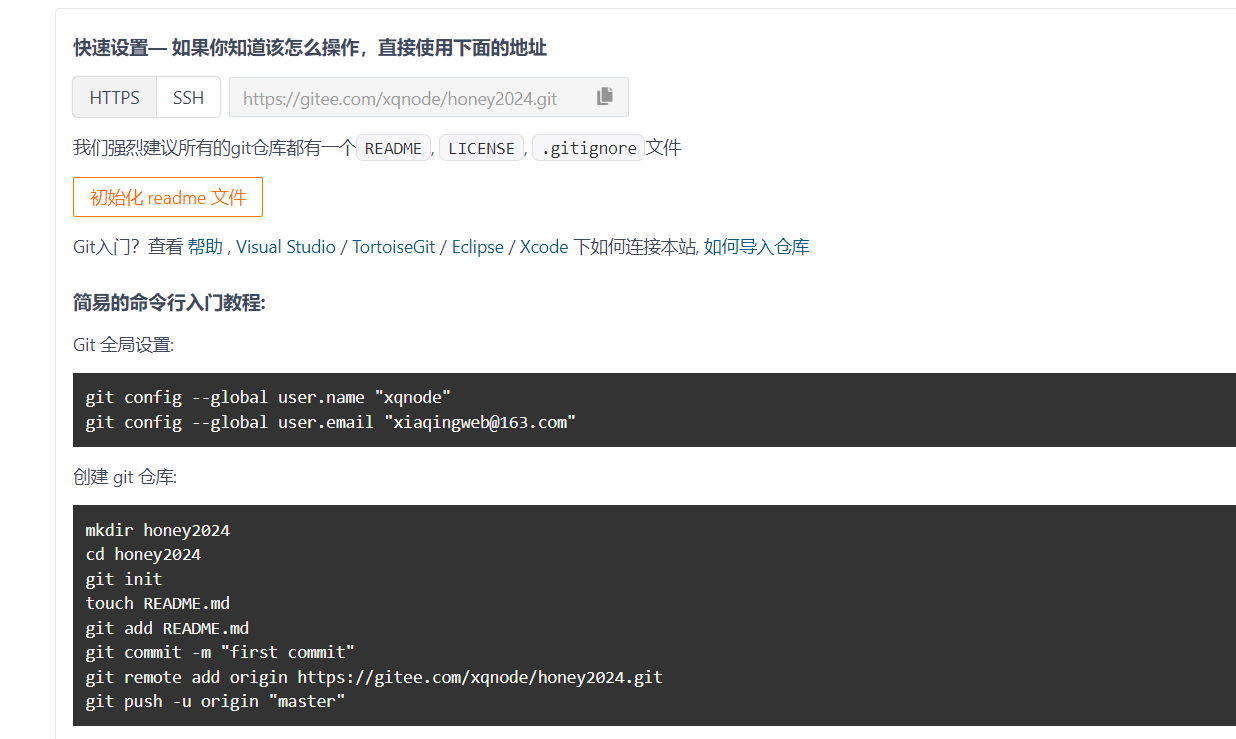

先全局配置下邮箱
配置
git config --global user.email "your_email@example.com"
git config --global user.name "username"
- 跟我一步一步做
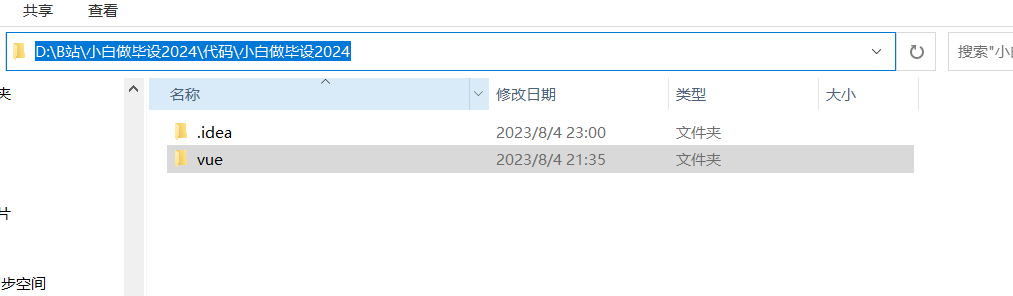
- 进入命令行
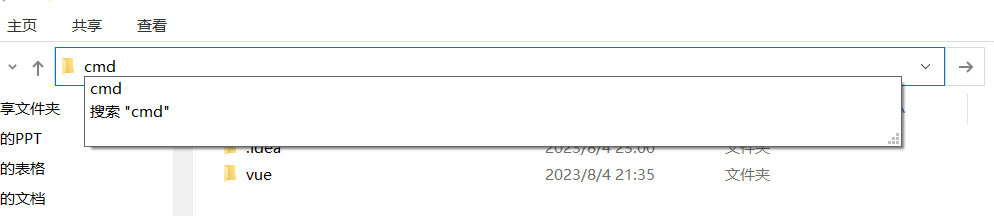
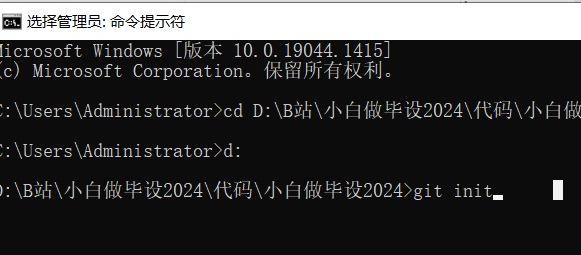
- 输入 git init 把这个目录变成一个 git 仓库

查看隐藏的文件夹
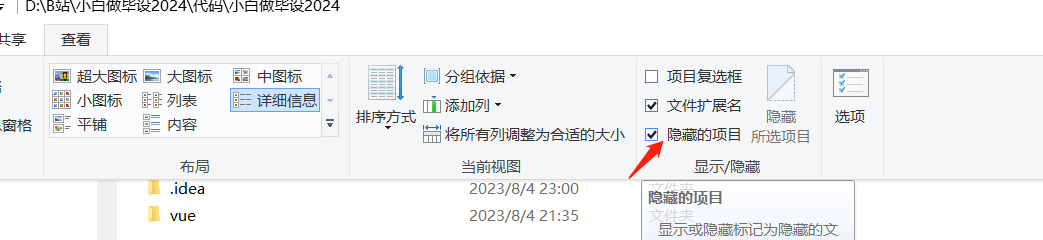
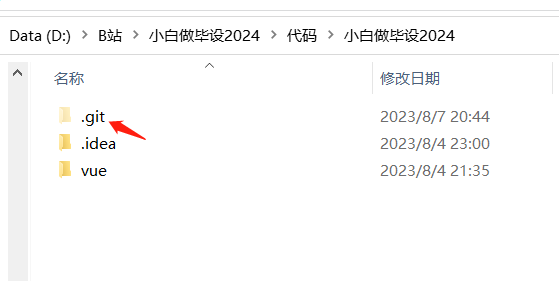
- 本地仓库跟远程的仓库建立连接
git remote add origin https://gitee.com/xqnode/honey2024.git
git remote -v

- 新建 .gitignore文件
.idea
node_modules
*.iml
- 暂存代码 git add . (要注意当前的仓库是否存在旧的仓库文件夹 .git,如果存在要删除掉)
# 把当前目录除了 .gitignore描述之外的所有文件全部加入到暂存区
git add .
报这个黄色的提示是有问题的,你的 vue 文件夹需要删除旧的仓库文件 ** .git**
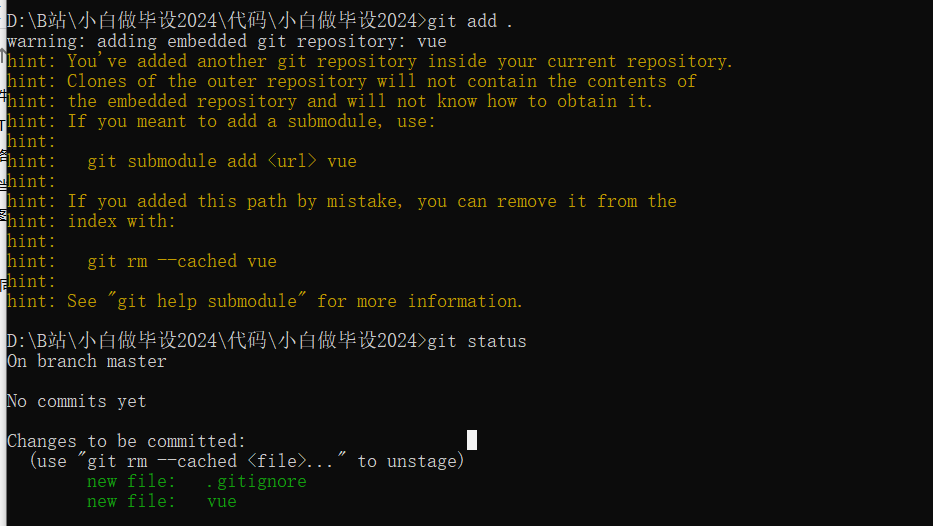
正确的状态是这样的
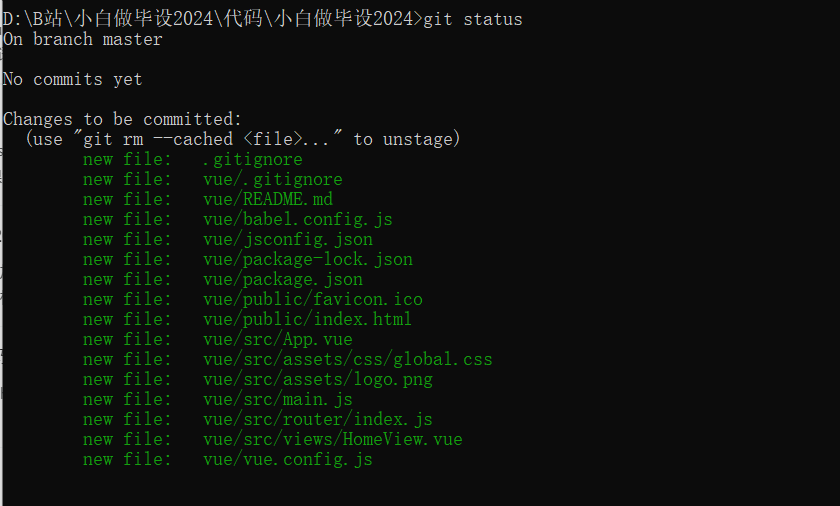
- 提交文件到本地仓库
git commit -m '初次提交'

- 推送代码到远程仓库
git push -u origin "master"
强制覆盖远程仓库
git push -f origin "master"
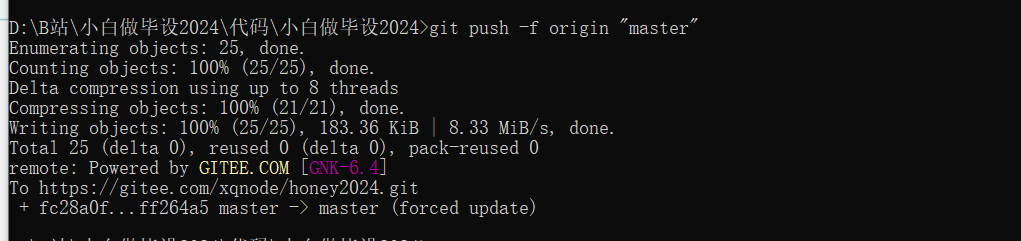
设置 gitee 仓库

公开仓库
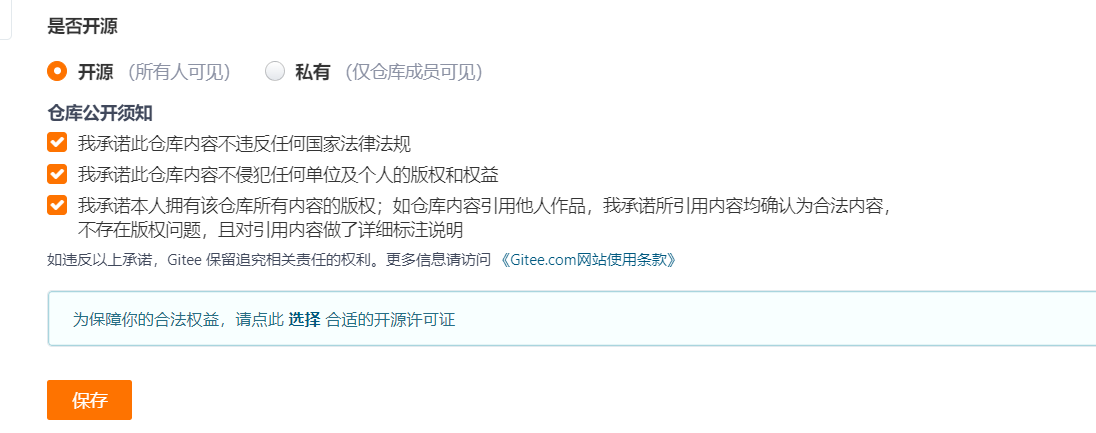

https://gitee.com/xqnode/honey2024
本地没有更新远程仓库的修改,直接提交会提示你错误
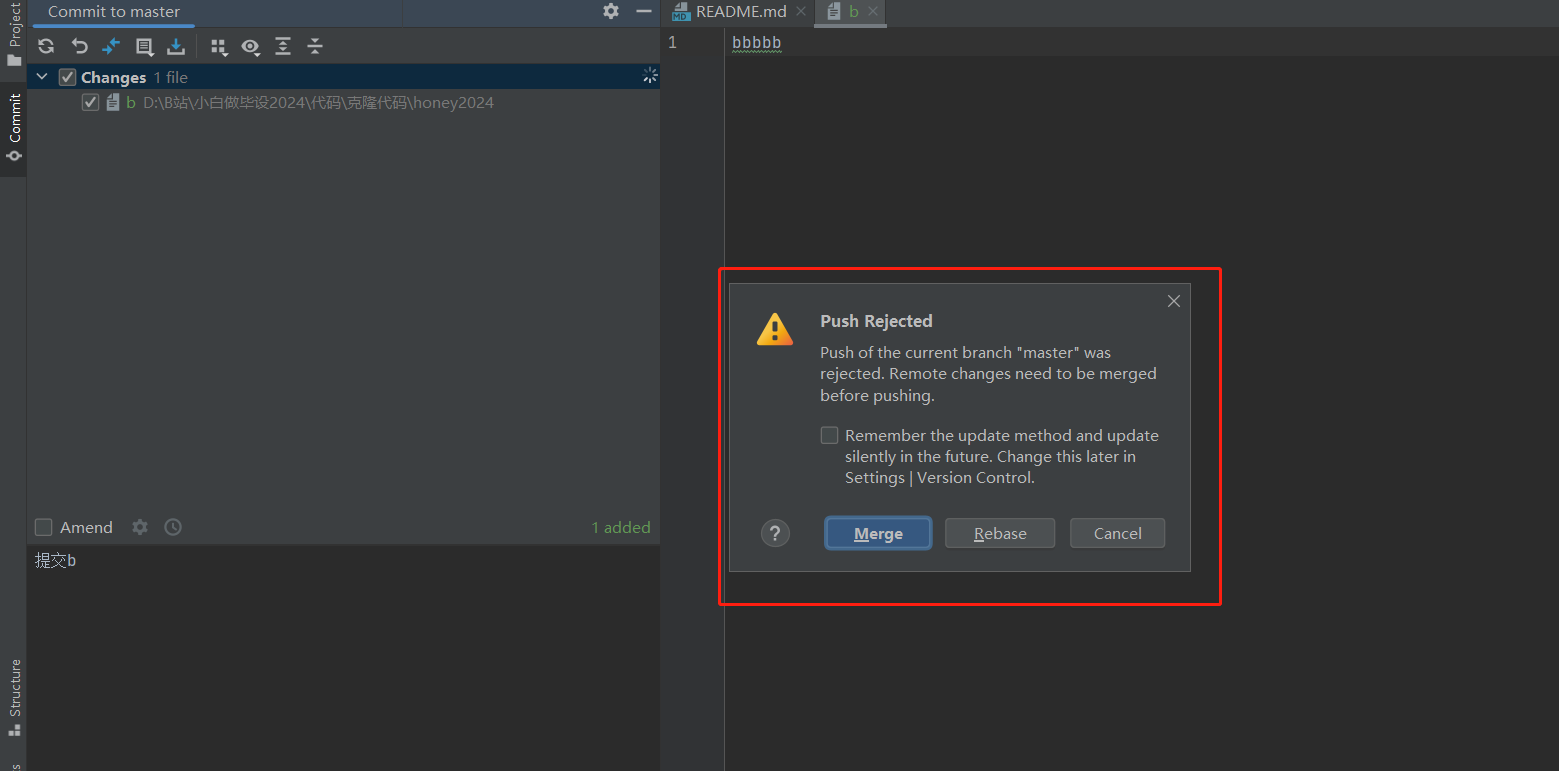
在我们提交代码到远程仓库之前,需要先更新远程仓库的代码到本地
git 操作
基本操作
# 配置
# 全局配置
git config --global user.email "your_email@example.com"
git config --global user.name "username"
# 仓库配置
git config user.email "your_email@example.com"
git config user.name "username"

git config --global --list
git config --list


# 新建仓库
git init
# 添加远程仓库
git remote add origin ''
# 查看远程仓库
git remote -v

# 添加文件到暂存区
git add .
# 查看状态
git status
# 忽略文件
.gitignore文件

# 提交
git commit -m 'init'

# 拉取远程代码
git pull origin master
# 强制推送代码到远程仓库
git push -f origin master

# 克隆代码
git clone ''
常用操作
# 列出本地所有分支
git branch

# 新建一个分支,并切换到该分支
git checkout -b 分支名
# 切换分支
git checkout 分支名
# merge其他分支到当前分支
git merge 分支名

# 暂存
git stash
git stash list
git stash pop [stash]
git stash apply [stash]
git stash drop [stash]