11. Vue登录(含验证码)、注册页面开发
login.png

register.png

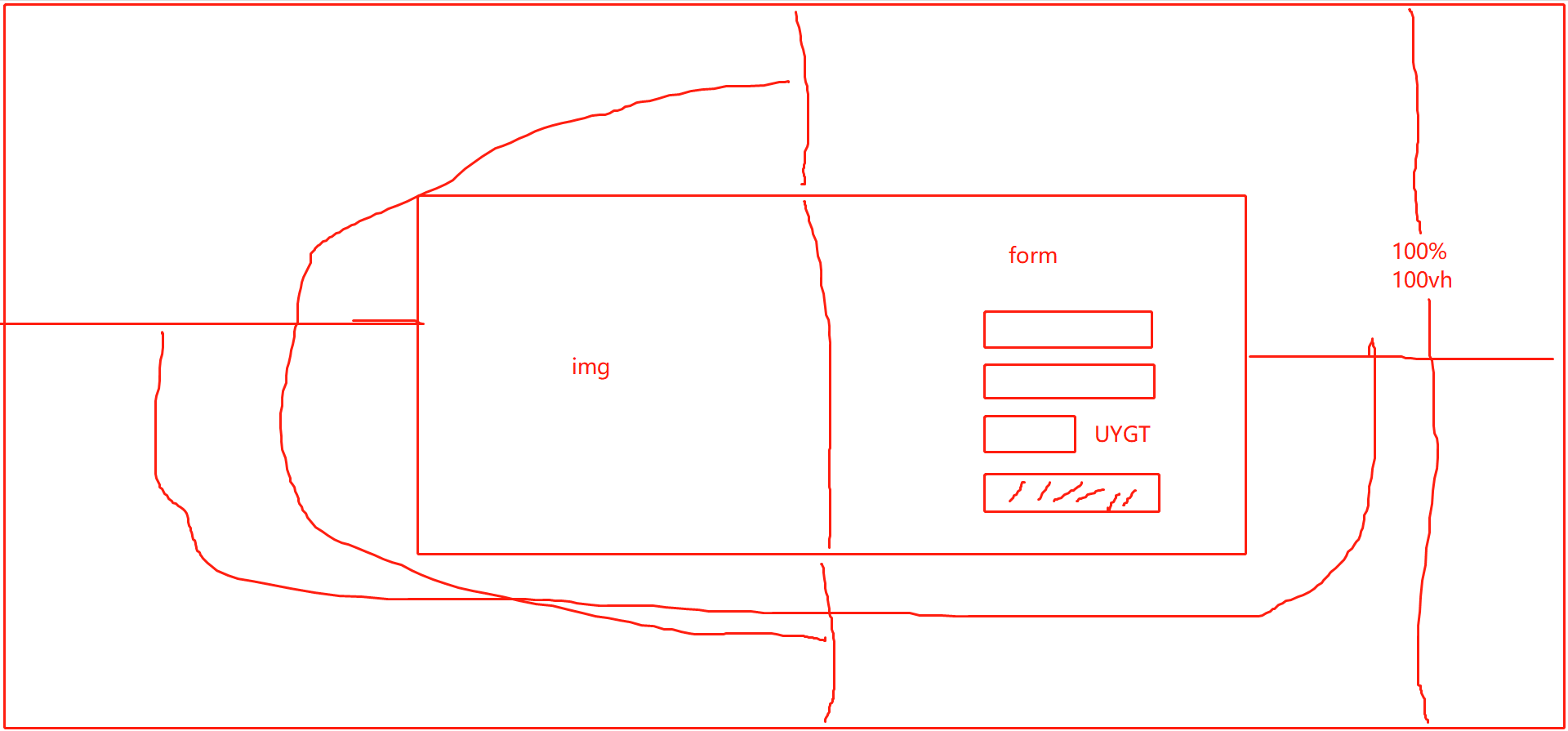
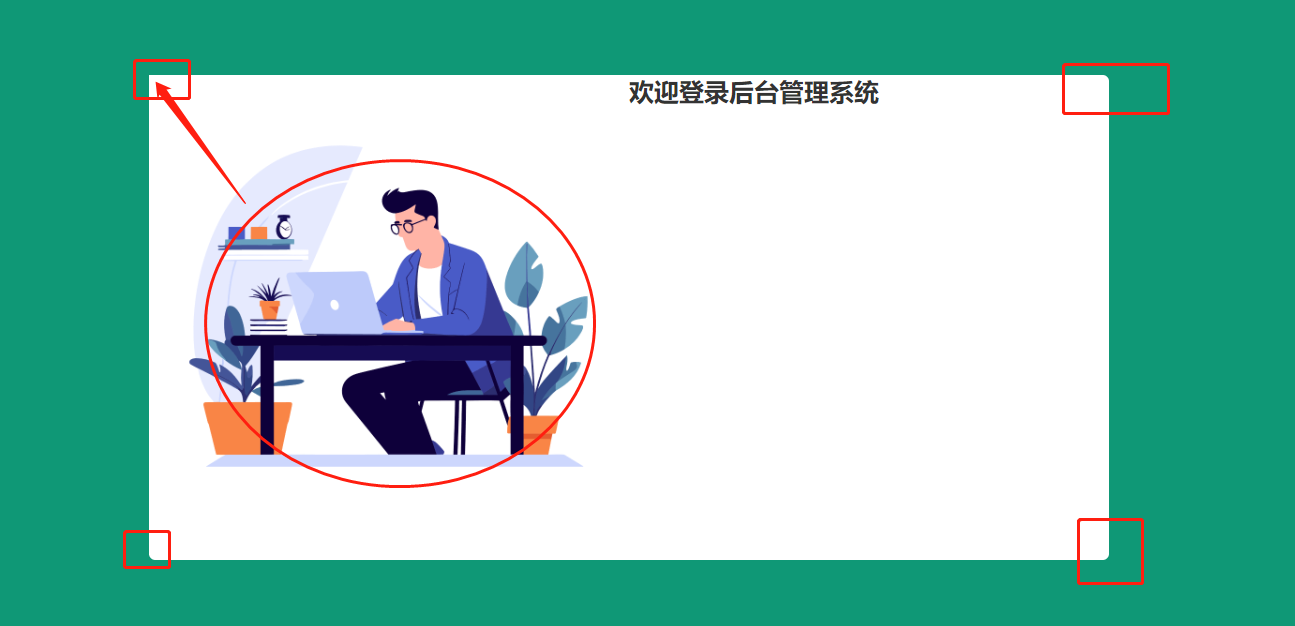
页面效果
登录

注册

登录 Login.vue
<template>
  <div style="height: 100vh; display: flex; align-items: center; justify-content: center; background-color: #0f9876">
    <div style="display: flex; background-color: white; width: 50%; border-radius: 5px; overflow: hidden">
      <div style="flex: 1">
        <img src="@/assets/login.png" alt="" style="width: 100%">
      </div>
      <div style="flex: 1; display: flex; align-items: center; justify-content: center">
        <el-form :model="user" style="width: 80%" :rules="rules" ref="loginRef">
          <div style="font-size: 20px; font-weight: bold; text-align: center; margin-bottom: 20px">欢迎登录后台管理系统</div>
          <el-form-item prop="username">
            <el-input prefix-icon="el-icon-user" size="medium" placeholder="请输入账号" v-model="user.username"></el-input>
          </el-form-item>
          <el-form-item prop="password">
            <el-input prefix-icon="el-icon-lock" size="medium" show-password placeholder="请输入密码" v-model="user.password"></el-input>
          </el-form-item>
          <el-form-item prop="code">
            <div style="display: flex">
              <el-input placeholder="请输入验证码" prefix-icon="el-icon-circle-check" size="medium" style="flex: 1" v-model="user.code"></el-input>
              <div style="flex: 1; height: 36px">
                <valid-code @update:value="getCode" />
              </div>
            </div>
          </el-form-item>
          <el-form-item>
            <el-button type="primary" style="width: 100%" @click="login">登 录</el-button>
          </el-form-item>
          <div style="display: flex">
            <div style="flex: 1">还没有账号?请 <span style="color: #0f9876; cursor: pointer" @click="$router.push('/register')">注册</span></div>
            <div style="flex: 1; text-align: right"><span style="color: #0f9876; cursor: pointer">忘记密码</span></div>
          </div>
        </el-form>
      </div>
    </div>

  </div>
</template>

<script>
import ValidCode from "@/conponents/ValidCode";

export default {
  name: "Login",
  components: {
    ValidCode
  },
  data() {

    // 验证码校验
    const validateCode = (rule, value, callback) => {
      if (value === '') {
        callback(new Error('请输入验证码'))
      } else if (value.toLowerCase() !== this.code) {
        callback(new Error('验证码错误'))
      } else {
        callback()
      }
    }

    return {
      code: '',  // 验证码组件传递过来的code
      user: {
        code: '',   // 表单里用户输入的code 验证码
        username: '',
        password: ''
      },
      rules: {
        username: [
          { required: true, message: '请输入账号', trigger: 'blur' },
        ],
        password: [
          { required: true, message: '请输入密码', trigger: 'blur' },
        ],
        code: [
          { validator: validateCode, trigger: 'blur' }
        ],
      }
    }
  },
  created() {

  },
  methods: {
    getCode(code) {
      this.code = code.toLowerCase()
    },
    login() {
      this.$refs['loginRef'].validate((valid) => {
        if (valid) {
          // 验证通过
          this.$request.post('/login', this.user).then(res => {
            if (res.code === '200') {
              this.$router.push('/')
              this.$message.success('登录成功')
              localStorage.setItem("honey-user", JSON.stringify(res.data))  // 存储用户数据
            } else {
              this.$message.error(res.msg)
            }
          })
        }
      })
    }
  }
}
</script>

<style scoped>

</style>
验证码 ValidCode.vue
<template>
  <div class="ValidCode disabled-select" style="width: 100%; height: 100%" @click="refreshCode">
    <span v-for="(item, index) in codeList" :key="index" :style="getStyle(item)">{{item.code}}</span>
  </div>
</template>

<script>
export default {
  name: 'validCode',
  data () {
    return {
      length: 4,
      codeList: []
    }
  },
  mounted () {
    this.createdCode()
  },
  methods: {
    refreshCode () {
      this.createdCode()
    },
    createdCode () {
      let len = this.length,
          codeList = [],
          chars = 'ABCDEFGHJKMNPQRSTWXYZabcdefhijkmnprstwxyz0123456789',
          charsLen = chars.length
      // 生成
      for (let i = 0; i < len; i++) {
        let rgb = [Math.round(Math.random() * 220), Math.round(Math.random() * 240), Math.round(Math.random() * 200)]
        codeList.push({
          code: chars.charAt(Math.floor(Math.random() * charsLen)),
          color: `rgb(${rgb})`,
          padding: `${[Math.floor(Math.random() * 10)]}px`,
          transform: `rotate(${Math.floor(Math.random() * 90) - Math.floor(Math.random() * 90)}deg)`
        })
      }
      // 指向
      this.codeList = codeList
      // 将当前数据派发出去
      this.$emit('update:value', codeList.map(item => item.code).join(''))
    },
    getStyle (data) {
      return `color: ${data.color}; font-size: ${data.fontSize}; padding: ${data.padding}; transform: ${data.transform}`
    }
  }
}
</script>

<style>
.ValidCode{
  display: flex;
  justify-content: center;
  align-items: center;
  cursor: pointer;
}
.ValidCode span {
  display: inline-block;
  font-size: 18px;
}
</style>
注册 Register.vue
<template>
  <div style="height: 100vh; display: flex; align-items: center; justify-content: center; background-color: #669fef">
    <div style="display: flex; background-color: white; width: 50%; border-radius: 5px; overflow: hidden">
      <div style="flex: 1">
        <img src="@/assets/register.png" alt="" style="width: 100%">
      </div>
      <div style="flex: 1; display: flex; align-items: center; justify-content: center">
        <el-form :model="user" style="width: 80%" :rules="rules" ref="registerRef">
          <div style="font-size: 20px; font-weight: bold; text-align: center; margin-bottom: 20px">欢迎注册后台管理系统</div>
          <el-form-item prop="username">
            <el-input prefix-icon="el-icon-user" size="medium" placeholder="请输入账号" v-model="user.username"></el-input>
          </el-form-item>
          <el-form-item prop="password">
            <el-input prefix-icon="el-icon-lock" size="medium" show-password placeholder="请输入密码" v-model="user.password"></el-input>
          </el-form-item>
          <el-form-item prop="confirmPass">
            <el-input prefix-icon="el-icon-lock" size="medium" show-password placeholder="请确认密码" v-model="user.confirmPass"></el-input>
          </el-form-item>
          <el-form-item>
            <el-button type="info" style="width: 100%" @click="register">注 册</el-button>
          </el-form-item>
          <div style="display: flex">
            <div style="flex: 1">已经有账号了?请 <span style="color: #6e77f2; cursor: pointer" @click="$router.push('/login')">登录</span></div>
          </div>
        </el-form>
      </div>
    </div>

  </div>
</template>

<script>

export default {
  name: "Register",
  data() {
    // 验证码校验
    const validatePassword = (rule, confirmPass, callback) => {
      if (confirmPass === '') {
        callback(new Error('请确认密码'))
      } else if (confirmPass !== this.user.password) {
        callback(new Error('两次输入的密码不一致'))
      } else {
        callback()
      }
    }
    return {
      user: {
        username: '',
        password: '',
        confirmPass: ''
      },
      rules: {
        username: [
          { required: true, message: '请输入账号', trigger: 'blur' },
        ],
        password: [
          { required: true, message: '请输入密码', trigger: 'blur' },
        ],
        confirmPass: [
          { validator: validatePassword, trigger: 'blur' }
        ],
      }
    }
  },
  created() {

  },
  methods: {
    register() {
      this.$refs['registerRef'].validate((valid) => {
        if (valid) {
          // 验证通过
          this.$request.post('/register', this.user).then(res => {
            if (res.code === '200') {
              this.$router.push('/login')
              this.$message.success('注册成功')
            } else {
              this.$message.error(res.msg)
            }
          })
        }
      })
    }
  }
}
</script>

<style scoped>

</style>
加入 hutool
国产的工具类依赖
<dependency>
  <groupId>cn.hutool</groupId>
  <artifactId>hutool-all</artifactId>
  <version>5.8.18</version>
</dependency>
遇到了跨域的错误:

SpringBoot 解决跨域问题 CorsConfig
import org.springframework.context.annotation.Bean;
import org.springframework.context.annotation.Configuration;
import org.springframework.web.cors.CorsConfiguration;
import org.springframework.web.cors.UrlBasedCorsConfigurationSource;
import org.springframework.web.filter.CorsFilter;

@Configuration
public class CorsConfig {

    // 当前跨域请求最大有效时长。这里默认1天
    private static final long MAX_AGE = 24 * 60 * 60;

    @Bean
    public CorsFilter corsFilter() {
        UrlBasedCorsConfigurationSource source = new UrlBasedCorsConfigurationSource();
        CorsConfiguration corsConfiguration = new CorsConfiguration();
        corsConfiguration.addAllowedOrigin("*"); // 1 设置访问源地址
        corsConfiguration.addAllowedHeader("*"); // 2 设置访问源请求头
        corsConfiguration.addAllowedMethod("*"); // 3 设置访问源请求方法
        corsConfiguration.setMaxAge(MAX_AGE);
        source.registerCorsConfiguration("/**", corsConfiguration); // 4 对接口配置跨域设置
        return new CorsFilter(source);
    }
}
前端登录逻辑
当后台返回的 code 是 200 的时候,表示验证通过
这时候要存储用户信息,然后跳转到主页
后端的登录逻辑
验证用户名和密码不为空
通过用户名查询数据库,如果数据库没有数据,说明用户不存在,报错
如果密码不匹配,说明账号的密码输入错误,报错
然后验证通过,返回 200
后台代码
WebController
import cn.hutool.core.util.StrUtil;
import com.example.springboot.common.Result;
import com.example.springboot.entity.User;
import com.example.springboot.service.UserService;
import org.springframework.web.bind.annotation.GetMapping;
import org.springframework.web.bind.annotation.PostMapping;
import org.springframework.web.bind.annotation.RequestBody;
import org.springframework.web.bind.annotation.RestController;

import javax.annotation.Resource;

/**
 * 功能:提供接口返回数据
 * 作者:程序员青戈
 * 日期:2023/8/13 15:55
 */
@RestController
public class WebController {

    @Resource
    UserService userService;

    @GetMapping("/")
    public Result hello() {
        return Result.success("success");
    }

    @PostMapping("/login")
    public Result login(@RequestBody User user) {
        if (StrUtil.isBlank(user.getUsername()) || StrUtil.isBlank(user.getPassword())) {
            return Result.error("数据输入不合法");
        }
        user = userService.login(user);
        return Result.success(user);
    }

    @PostMapping("/register")
    public Result register(@RequestBody User user) {
        if (StrUtil.isBlank(user.getUsername()) || StrUtil.isBlank(user.getPassword())) {
            return Result.error("数据输入不合法");
        }
        if (user.getUsername().length() > 10 || user.getPassword().length() > 20) {
            return Result.error("数据输入不合法");
        }
        user = userService.register(user);
        return Result.success(user);
    }

}
UserService
 // 验证用户账户是否合法
    public User login(User user) {
        // 根据用户名查询数据库的用户信息
        User dbUser = userMapper.selectByUsername(user.getUsername());
        if (dbUser == null) {
            // 抛出一个自定义的异常
            throw new ServiceException("用户名或密码错误");
        }
        if (!user.getPassword().equals(dbUser.getPassword())) {
            throw new ServiceException("用户名或密码错误");
        }
        return dbUser;
    }

    public User register(User user) {
        User dbUser = userMapper.selectByUsername(user.getUsername());
        if (dbUser != null) {
            // 抛出一个自定义的异常
            throw new ServiceException("用户名已存在");
        }
        user.setName(user.getUsername());
        userMapper.insert(user);
        return user;
    }
自定义异常 ServiceException
public class ServiceException extends RuntimeException {

    public ServiceException(String msg) {
        super(msg);
    }
}
GlobalException
import com.example.springboot.common.Result;
import org.springframework.web.bind.annotation.ControllerAdvice;
import org.springframework.web.bind.annotation.ExceptionHandler;
import org.springframework.web.bind.annotation.ResponseBody;

@ControllerAdvice
public class GlobalException {

    @ExceptionHandler(ServiceException.class)
    @ResponseBody
    public Result serviceException(ServiceException e) {
        return Result.error("500", e.getMessage());
    }

}