03. Springboot3框架的快速搭建以及项目工程的讲解
编程软件
IDEA2023 以上的版本、Maven3.8、JDK21
学习 SpringBoot3 的基础必备知识: JavaSE、JavaWeb
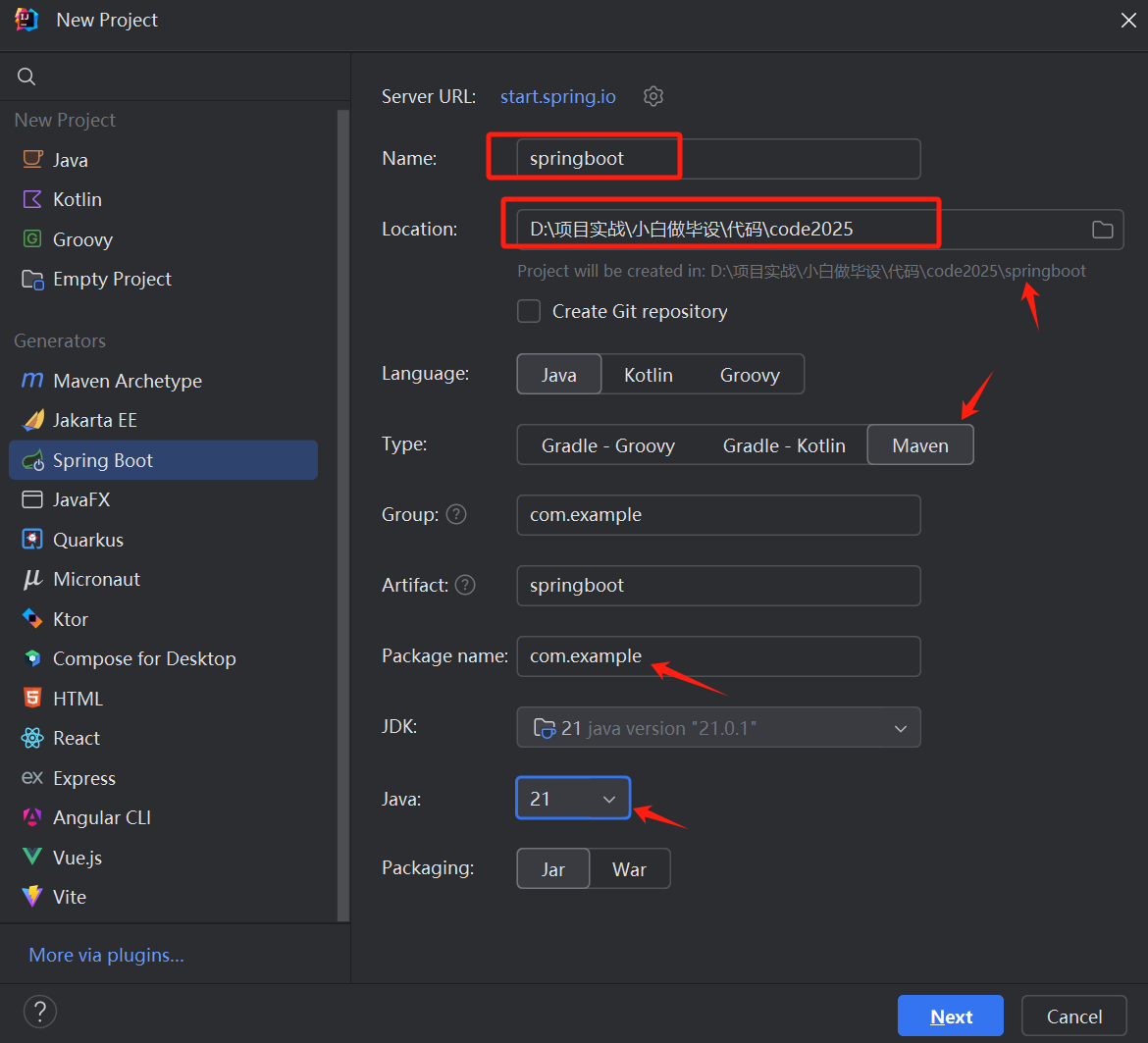
创建 SpringBoot 工程
新建 SpringBoot3 工程
删除无用的文件
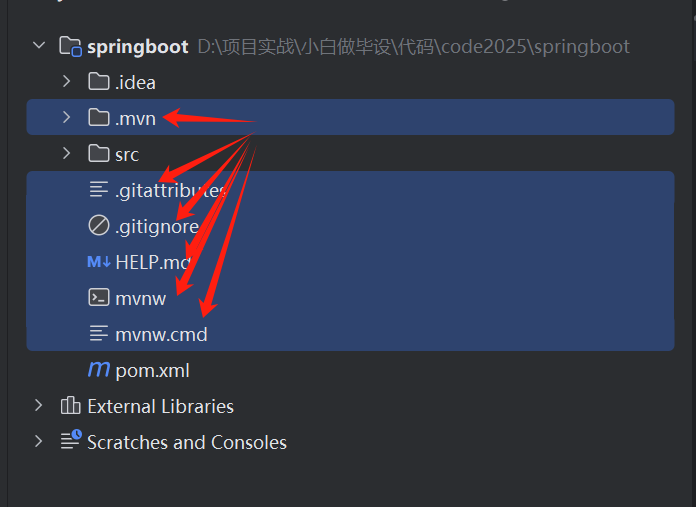
删除 test 目录
删除 resources 里面的 static 和 template 文件夹
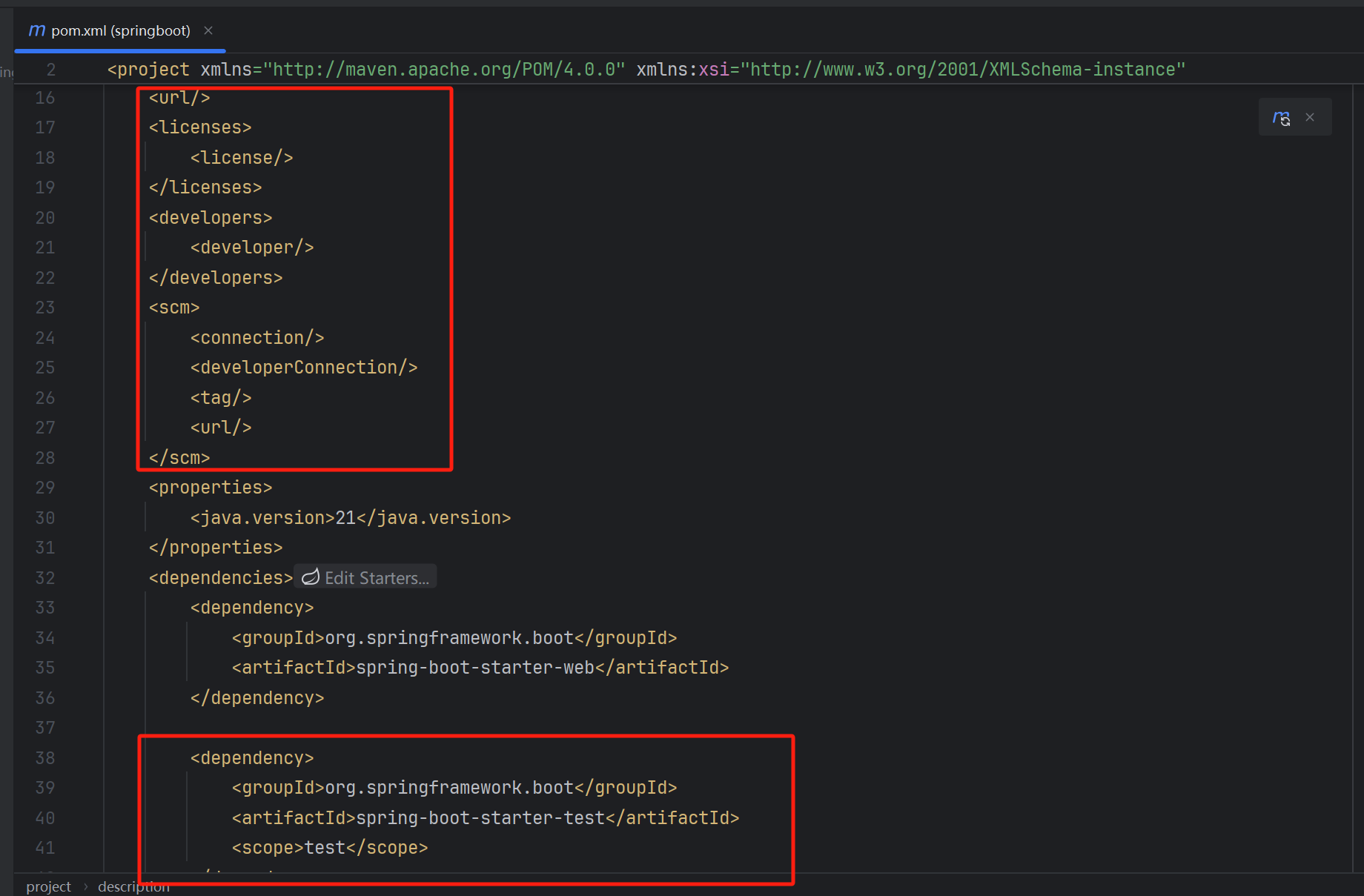
删除 pom.xml 里面的无用依赖
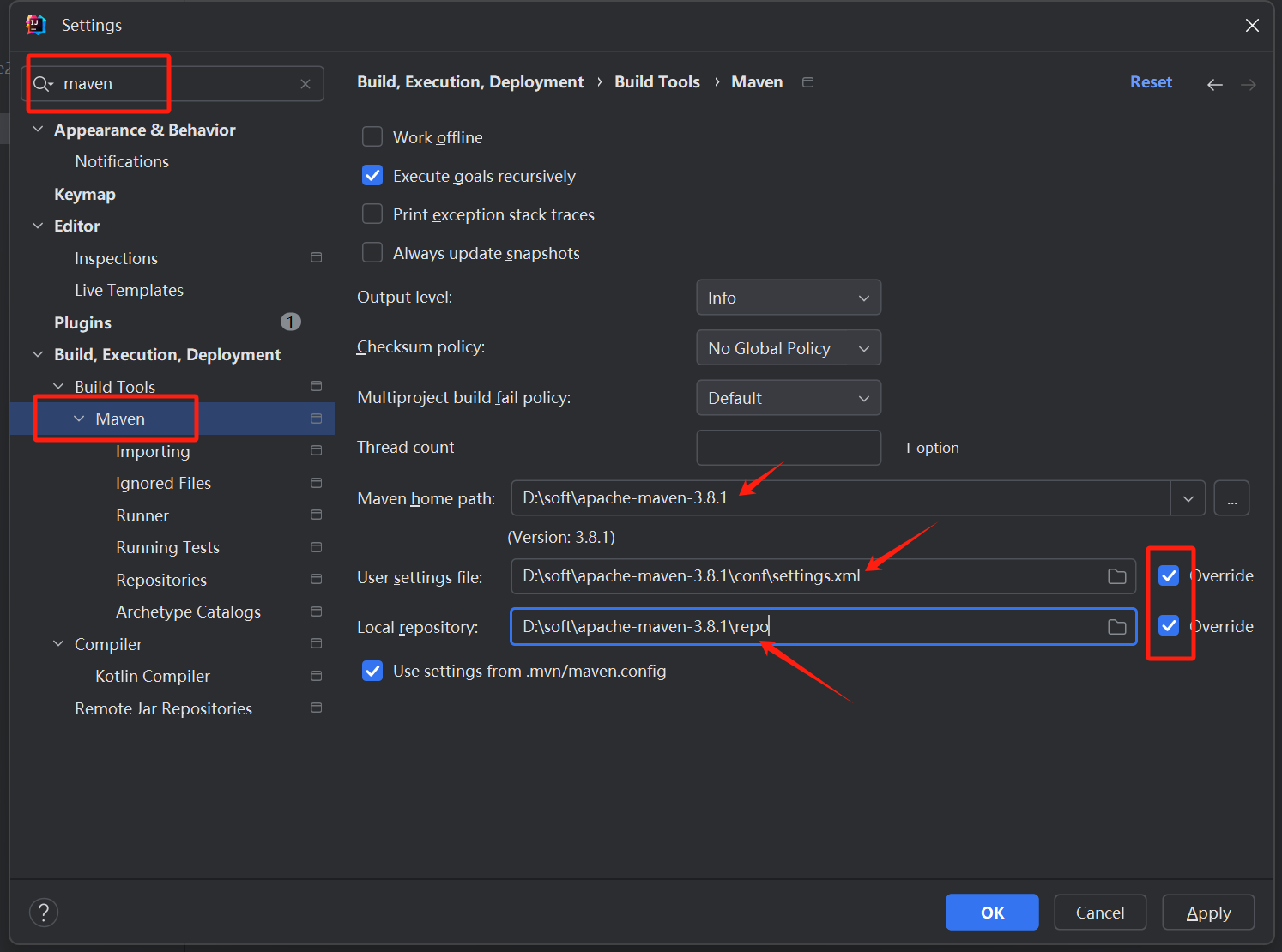
配置 maven
代码结构分析
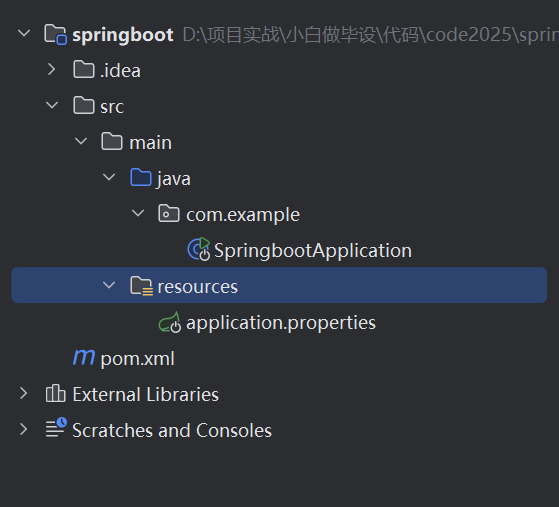
.idea: idea 软件的配置文件(不用管它)
src:源码的目录
SpringbootApplication: 工程的启动类
application.yml:Springboot 的配置文件
target:源码编译后的文件目录(可以忽略)
pom.xml:定义 Springboot 工程的所有依赖项,springboot 加载的时候会扫描这个文件里面所有的依赖项,然后下载
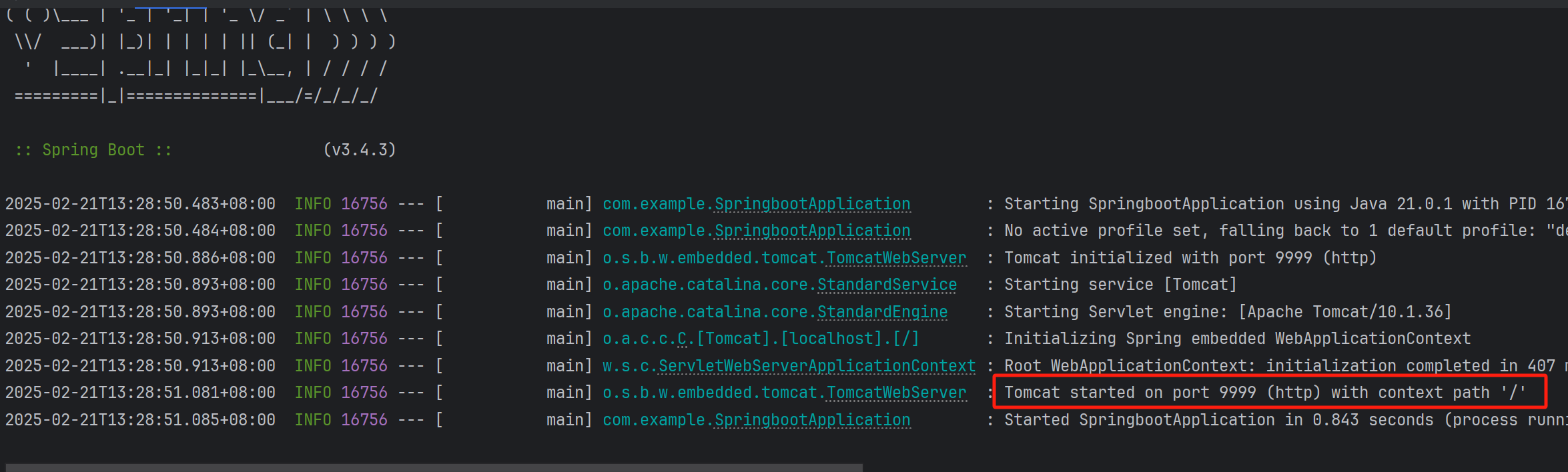
Springboot 里面内置了 Tomcat
application.properties -> application.yml
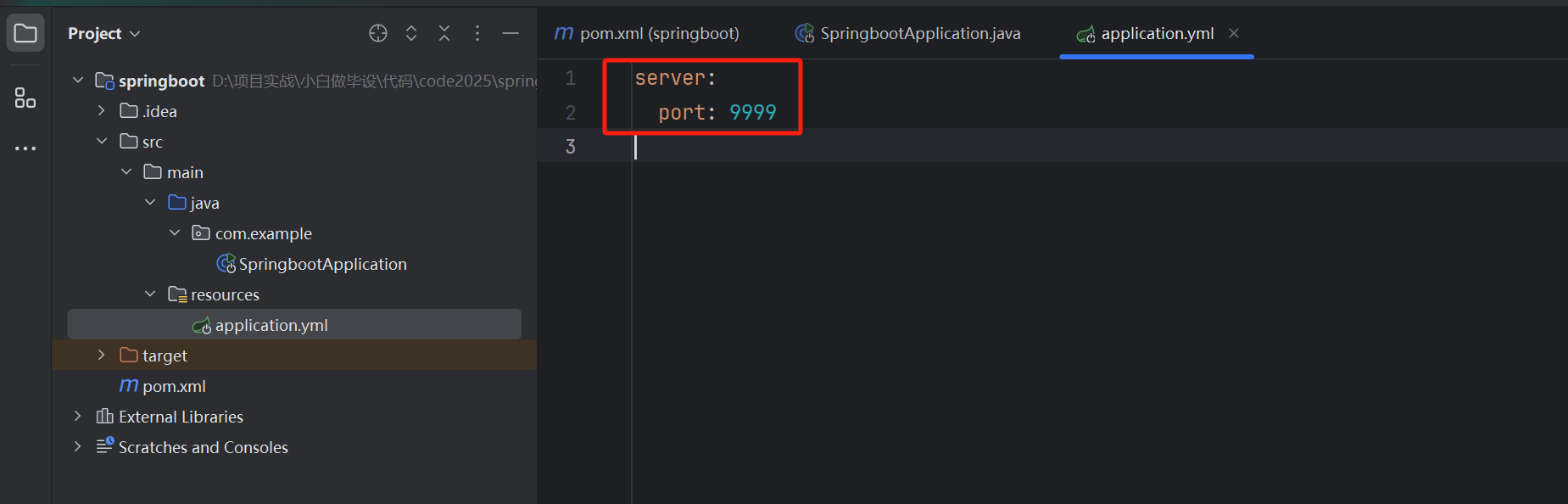
重新打开 code2025 目录
同时加载 springboot 和 vue
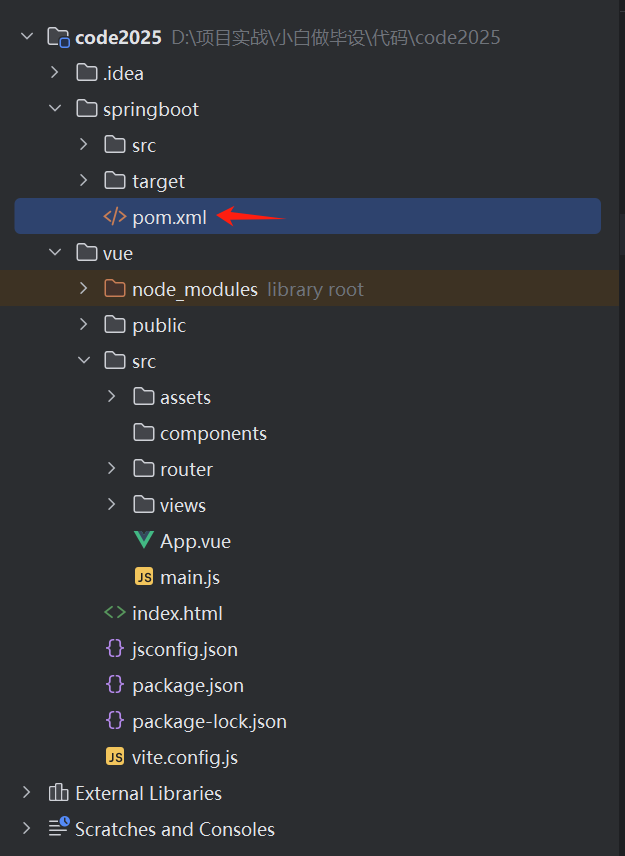
选择 pom.xml 然后加载依赖
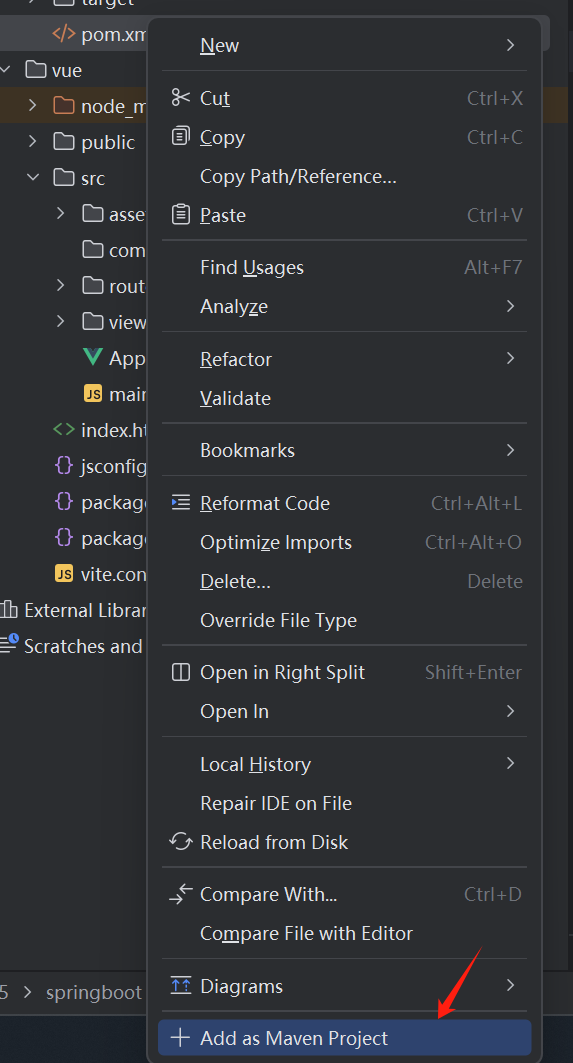
设置编码
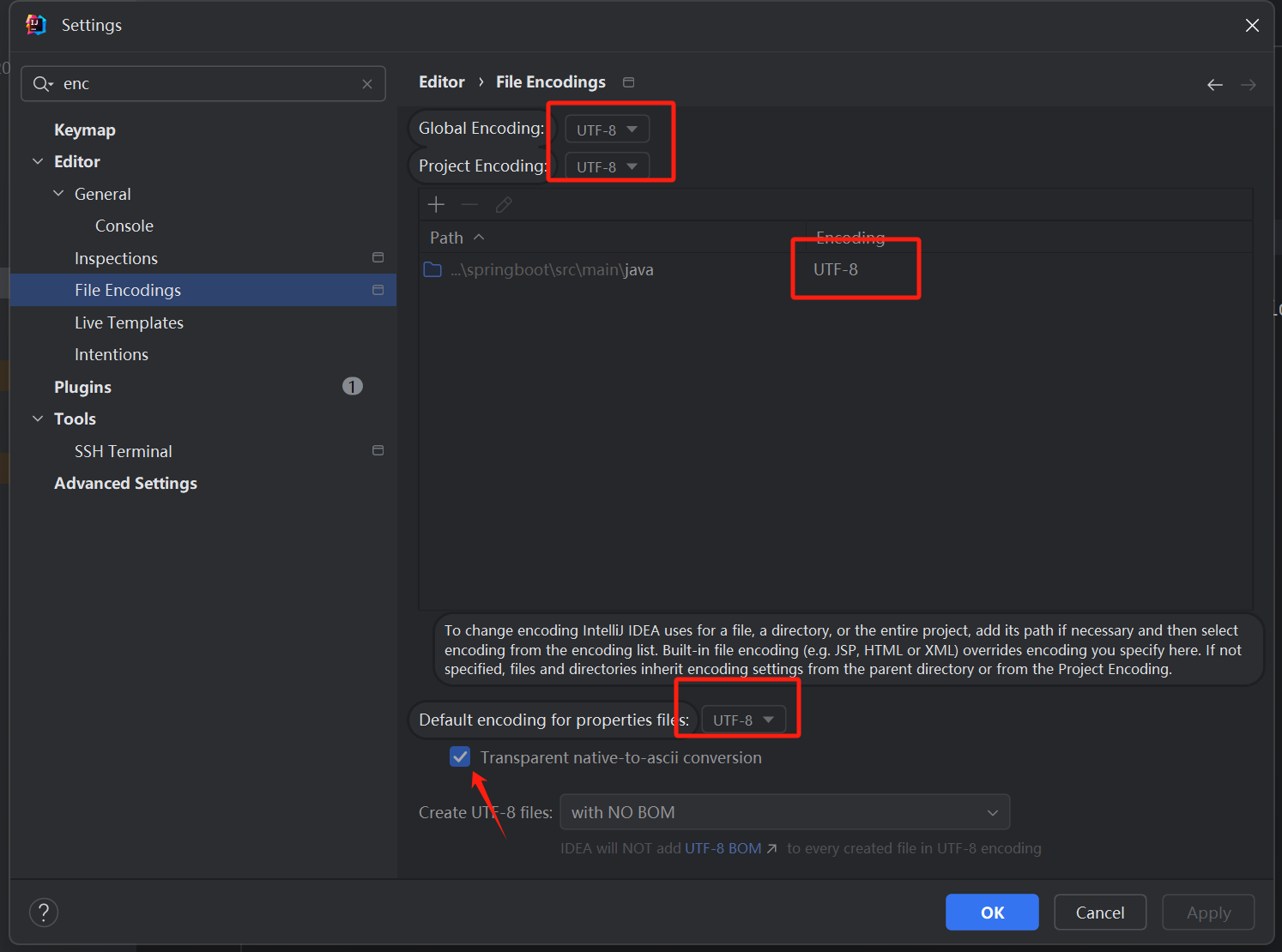
启动 Springboot 工程
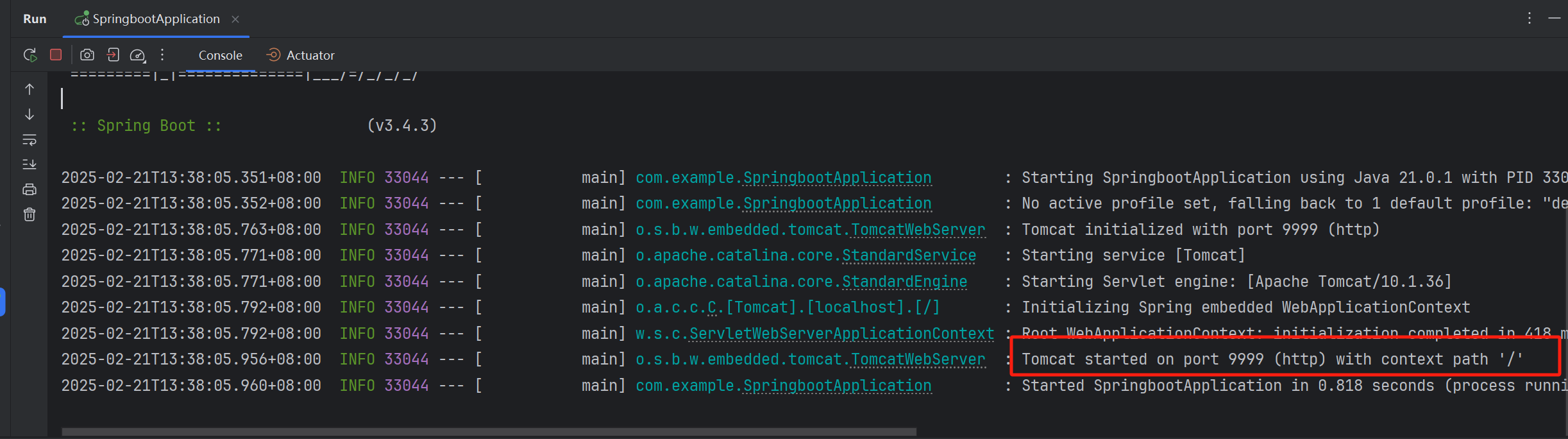
写一个测试接口 say: hello
package com.example.controller;

import org.springframework.web.bind.annotation.GetMapping;
import org.springframework.web.bind.annotation.RestController;

@RestController
public class WebController {

    //  表示这是一个 get请求的接口
    @GetMapping("/hello") // 接口的路径,全局唯一的
    public String hello() {
        return "hello青哥哥";  // 接口的返回值
    }

}
修改完代码后记得重启后端
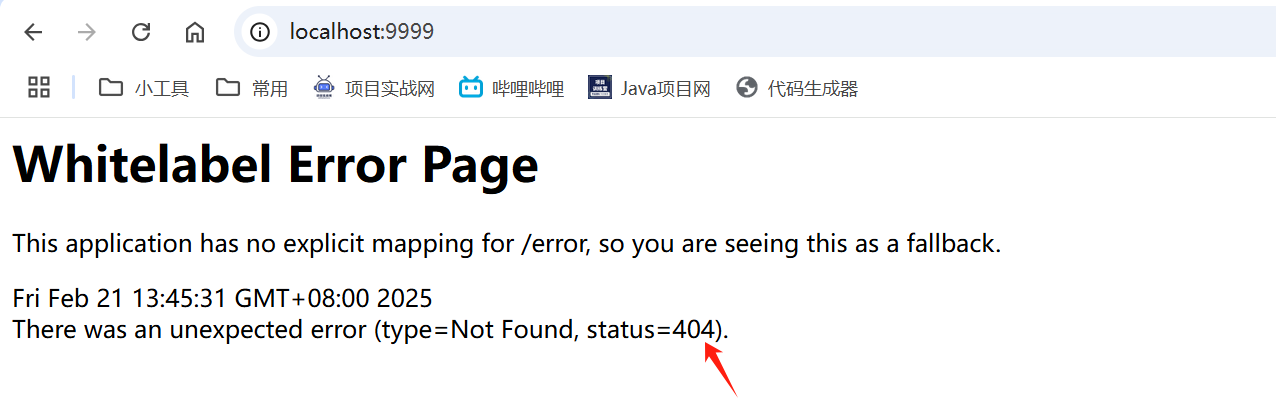
404 :就是根据路径没请求到接口数据
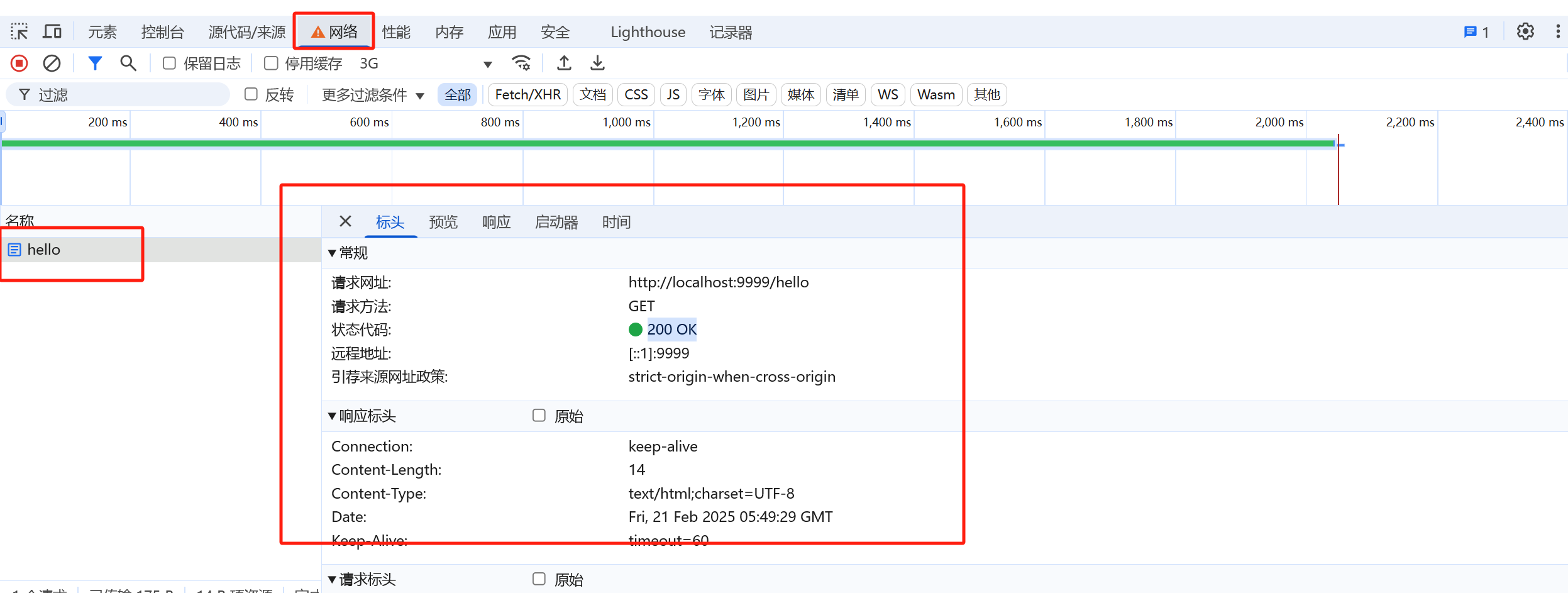
学会看网络请求
按 F12 或者 在页面右键打开检查就可以看到控制台
统一返回包装类 Result
包装类:作用是统一后端返回的数据类型,code 是作为前端判断请求成功的依据,msg 是错误的信息,data 是返回给前端的数据
package com.example.common;

public class Result {
    private String code;
    private Object data;
    private String msg;

    public static Result success() {
        Result result = new Result();
        result.setCode("200");
        result.setMsg("请求成功");
        return result;
    }

    public static Result success(Object data) {
        Result result = new Result();
        result.setCode("200");
        result.setData(data);
        result.setMsg("请求成功");
        return result;
    }

    public static Result error(String msg) {
        Result result = new Result();
        result.setCode("500");
        result.setMsg(msg);
        return result;
    }

    public static Result error(String code, String msg) {
        Result result = new Result();
        result.setCode(code);
        result.setMsg(msg);
        return result;
    }


    public String getCode() {
        return code;
    }

    public void setCode(String code) {
        this.code = code;
    }

    public Object getData() {
        return data;
    }

    public void setData(Object data) {
        this.data = data;
    }

    public String getMsg() {
        return msg;
    }

    public void setMsg(String msg) {
        this.msg = msg;
    }
}
500 错误:常见的系统的错误
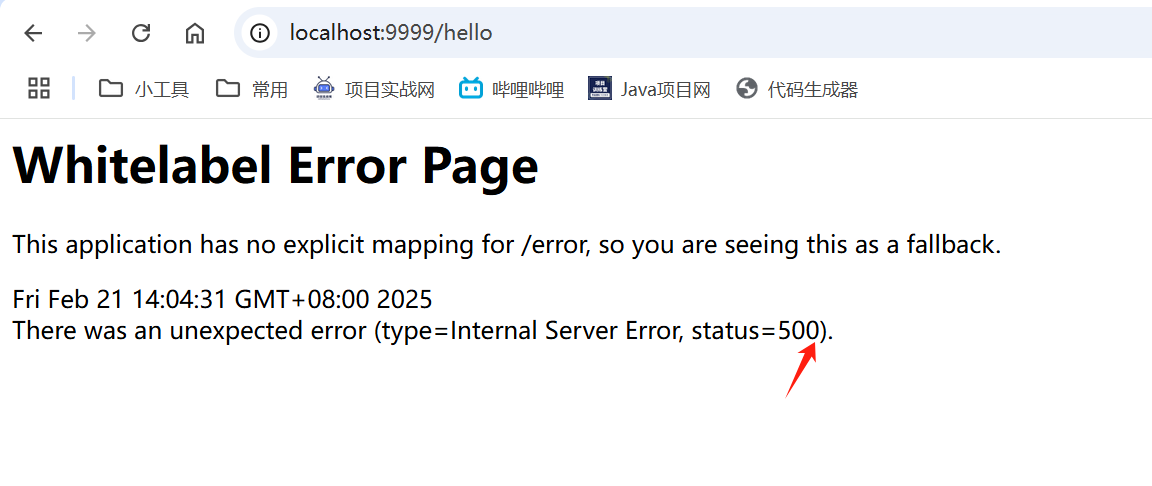
抛出这些错误非常不友好,我们应该使用统一的处理方式
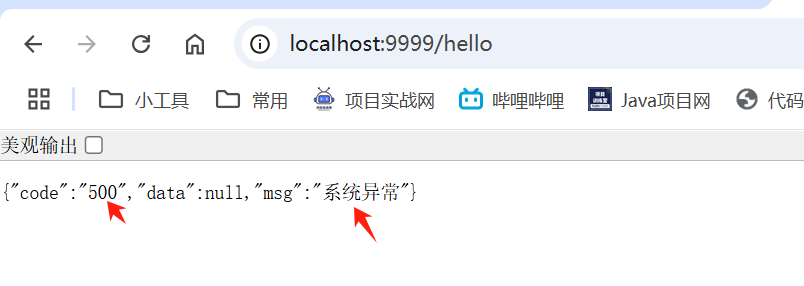
全局异常处理
GlobalExceptionHandler
package com.example.exception;

import com.example.common.Result;
import org.slf4j.Logger;
import org.slf4j.LoggerFactory;
import org.springframework.web.bind.annotation.ControllerAdvice;
import org.springframework.web.bind.annotation.ExceptionHandler;
import org.springframework.web.bind.annotation.ResponseBody;

/**
 * 全局异常捕获器
 */
@ControllerAdvice("com.example.controller")
public class GlobalExceptionHandler {
    private static final Logger log = LoggerFactory.getLogger(GlobalExceptionHandler.class);

    @ExceptionHandler(Exception.class)
    @ResponseBody // 将result对象转换成 json的格式
    public Result error(Exception e) {
        log.error("系统异常", e);
        return Result.error("系统异常");
    }

}
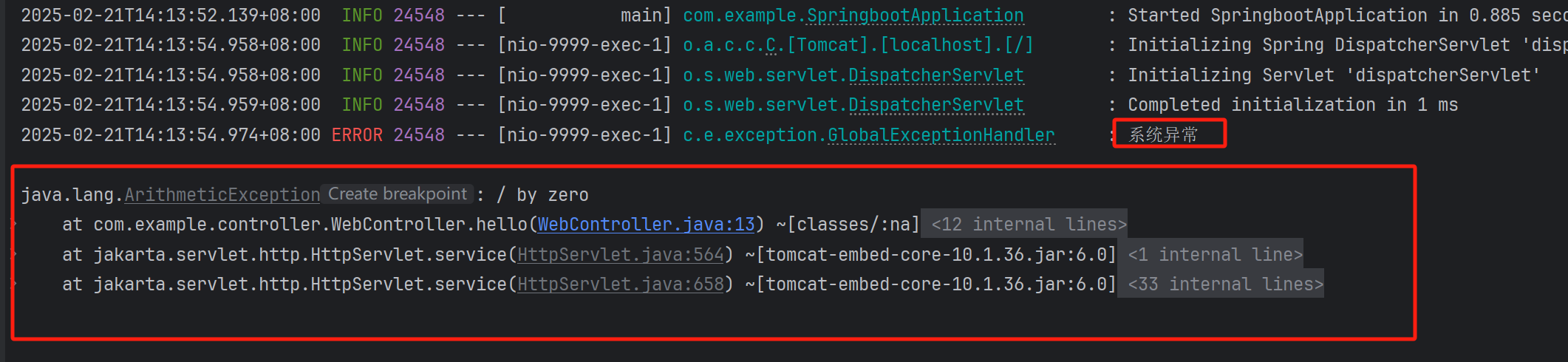
系统异常怎么办?
你得看你的控制台,然后找到报错的代码位置,具体地去修正代码
自定义异常
CustomException
package com.example.exception;

/**
 * 自定义异常
 * 运行时异常
 */
public class CustomerException extends RuntimeException {
    private String code;
    private String msg;

    public CustomerException(String code, String msg) {
        this.code = code;
        this.msg = msg;
    }

    public CustomerException(String msg) {
        this.code = "500";
        this.msg = msg;
    }

    public CustomerException() {}

    public String getCode() {
        return code;
    }

    public void setCode(String code) {
        this.code = code;
    }

    public String getMsg() {
        return msg;
    }

    public void setMsg(String msg) {
        this.msg = msg;
    }
}
最终版全局异常
package com.example.exception;

import com.example.common.Result;
import org.slf4j.Logger;
import org.slf4j.LoggerFactory;
import org.springframework.web.bind.annotation.ControllerAdvice;
import org.springframework.web.bind.annotation.ExceptionHandler;
import org.springframework.web.bind.annotation.ResponseBody;

/**
 * 全局异常捕获器
 */
@ControllerAdvice("com.example.controller")
public class GlobalExceptionHandler {
    private static final Logger log = LoggerFactory.getLogger(GlobalExceptionHandler.class);

    @ExceptionHandler(Exception.class)
    @ResponseBody // 将result对象转换成 json的格式
    public Result error(Exception e) {
        log.error("系统异常", e);
        return Result.error("系统异常");
    }

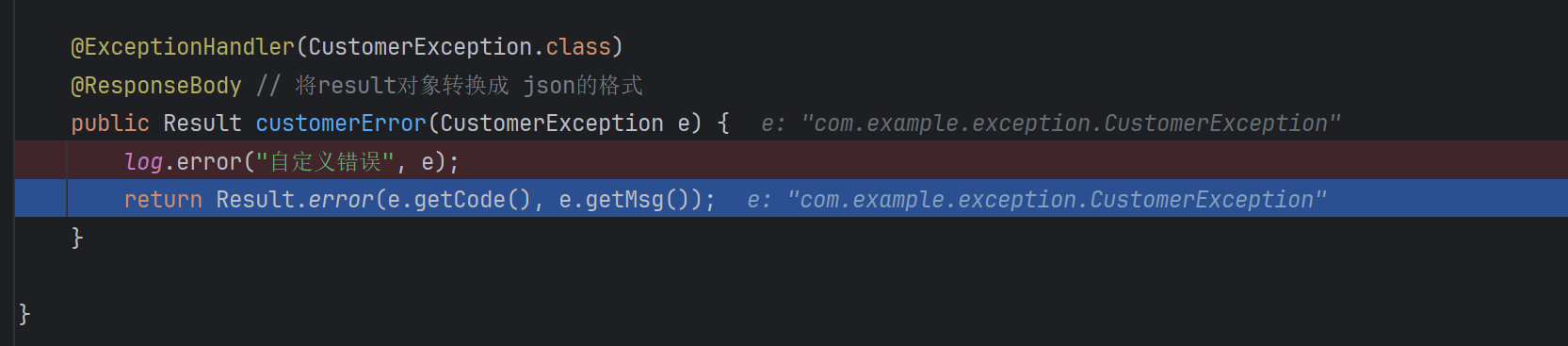
    @ExceptionHandler(CustomerException.class)
    @ResponseBody // 将result对象转换成 json的格式
    public Result customerError(CustomerException e) {
        log.error("自定义错误", e);
        return Result.error(e.getCode(), e.getMsg());
    }

}
测试自定义异常
controller 测试接口
@GetMapping("/admin")
public Result admin(String name) {
    String admin = adminService.admin(name);
    return Result.success(admin);
}
service
package com.example.service;

import com.example.exception.CustomerException;
import org.springframework.stereotype.Service;

@Service
public class AdminService {

    public String admin(String name) {
        if ("admin".equals(name)) {
            return "admin";
        } else {
            throw new CustomerException("账号错误");
        }
    }

}