10. Springboot3+vue3实现文件上传和下载
文件下载
/**
 * 文件下载
 * 下载路径:"http://localhost:9999/files/download/404.jpg"
 */
@GetMapping("/download/{fileName}")
public void download(@PathVariable String fileName, HttpServletResponse response) throws Exception {
    // 找到文件的位置
    String filePath = System.getProperty("user.dir") + "/files/";  // 获取到当前项目的根路径(code2025的绝对路径 D:\项目实战\小白做毕设\代码\code2025)
    String realPath = filePath + fileName;  //  D:\项目实战\小白做毕设\代码\code2025\files\404.jpg
    boolean exist = FileUtil.exist(realPath);
    if (!exist) {
        throw new CustomerException("文件不存在");
    }
    // 读取文件的字节流
    byte[] bytes = FileUtil.readBytes(realPath);
    ServletOutputStream os = response.getOutputStream();
    // 输出流对象把文件写出到客户端
    os.write(bytes);
    os.flush();
    os.close();
}
以附件的形式下载文件(可忽略)
response.addHeader("Content-Disposition", "attachment;filename=" + URLEncoder.encode(fileName, StandardCharsets.UTF_8));
response.setContentType("application/octet-stream");
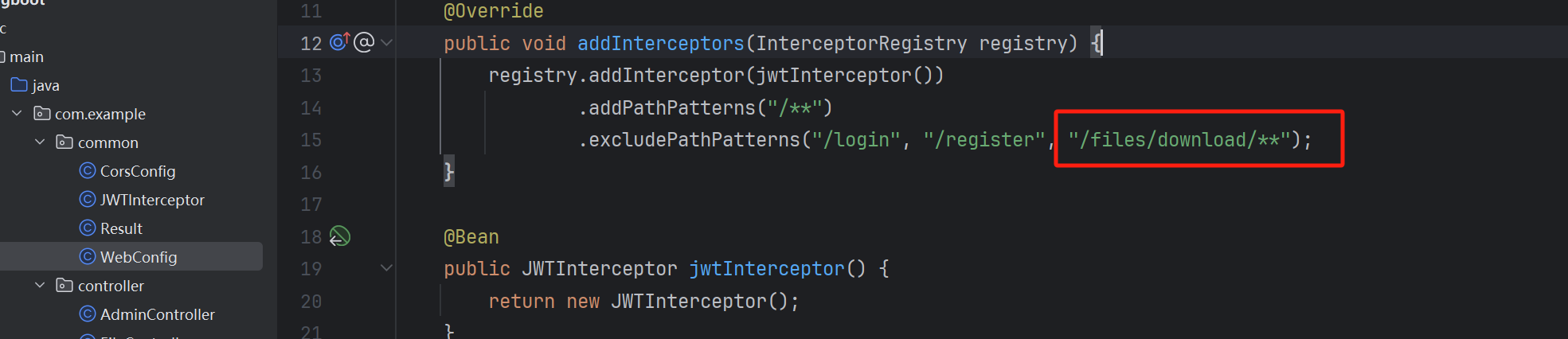
接口放行,不鉴权
"/files/download/**"
文件上传
/**
 * 文件上传
 */
@PostMapping("/upload")
public Result upload(@RequestParam("file") MultipartFile file) throws Exception {
    // 找到文件的位置
    String filePath = System.getProperty("user.dir") + "/files/";
    if (!FileUtil.isDirectory(filePath)) {
        FileUtil.mkdir(filePath);
    }
    byte[] bytes = file.getBytes();
    String fileName = System.currentTimeMillis() + "_" + file.getOriginalFilename();  // 文件的原始名称
    // 写入文件
    FileUtil.writeBytes(bytes, filePath + fileName);
    String url = "http://localhost:9999/files/download/" + fileName;
    return Result.success(url);
}
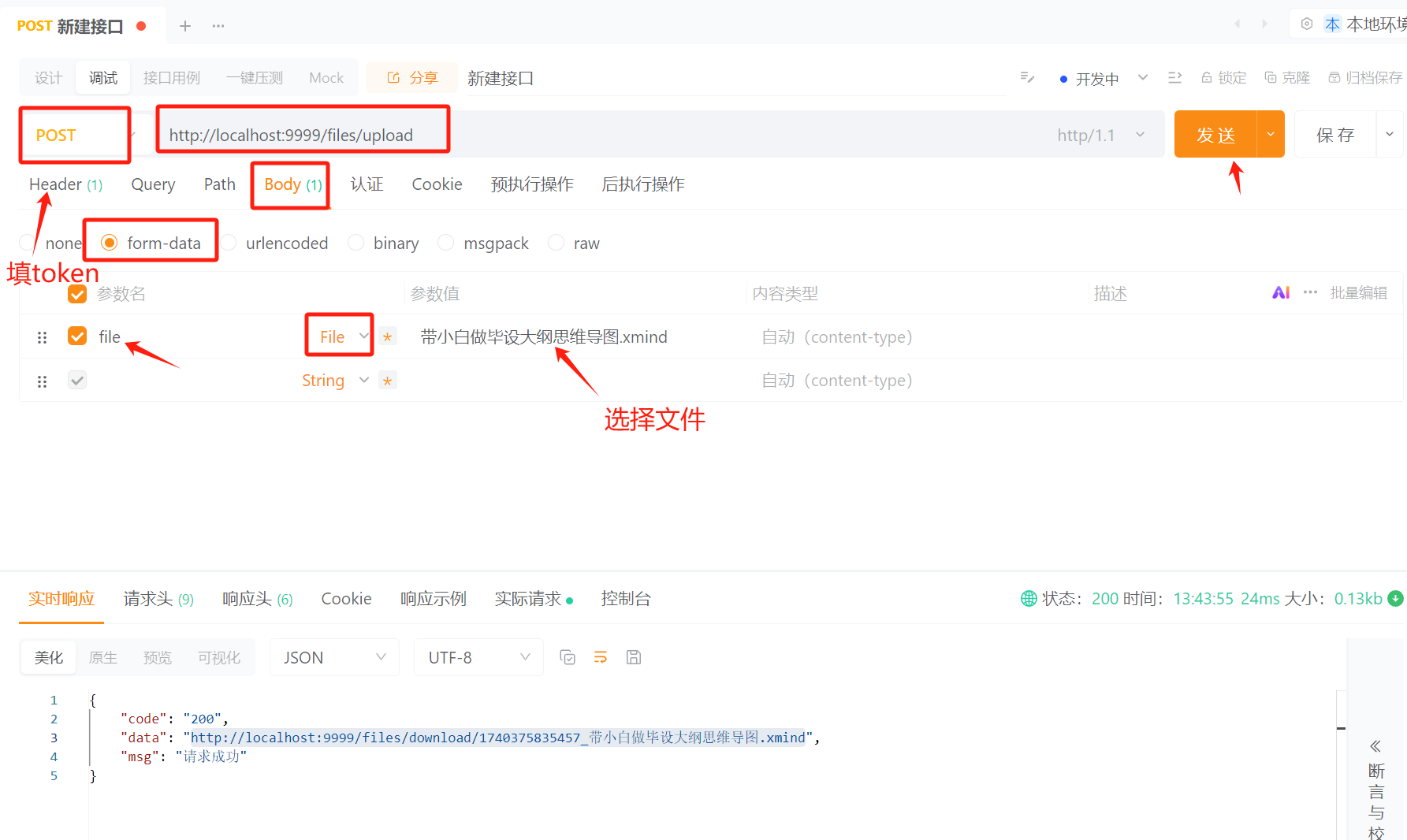
使用 apipost 测试文件上传
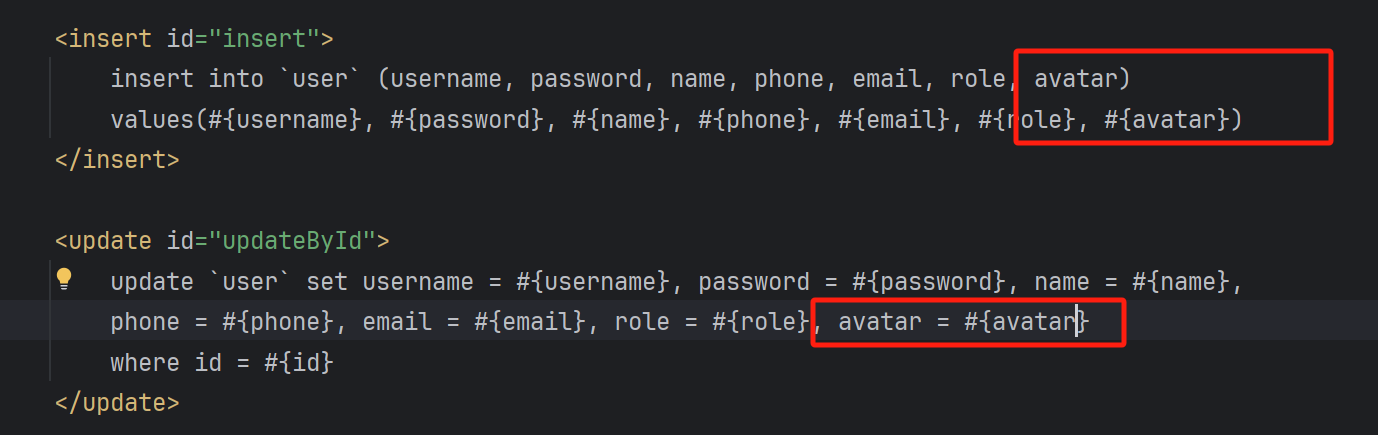
在数据库表 admin 和 user 里面加上 avatar 字段
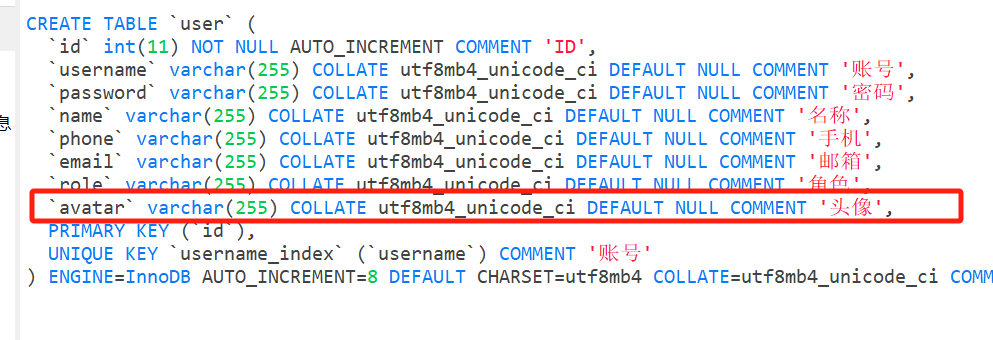
注意在 Mapper.xml 里面加上 avatar 的 sql
前端对接文件上传和下载
文件上传到数据库存储的是一串 url 链接的字符串

表单上传
<el-form-item prop="avatar" label="头像">
  <el-upload
    action="http://localhost:9999/files/upload"
    :headers="{ token: data.user.token }"
    :on-success="handleFileSuccess"
    list-type="picture"
  >
    <el-button type="primary">上传头像</el-button>
  </el-upload>
</el-form-item>

const handleFileSuccess = (res) => {
  data.form.avatar = res.data
}
表格显示图片
<el-table-column label="头像">
  <template #default="scope">
    <el-image v-if="scope.row.avatar" :src="scope.row.avatar" :preview-src-list="[scope.row.avatar]" :preview-teleported="true"
              style="width: 40px; height: 40px; border-radius: 50%; display: block" />
  </template>
</el-table-column>
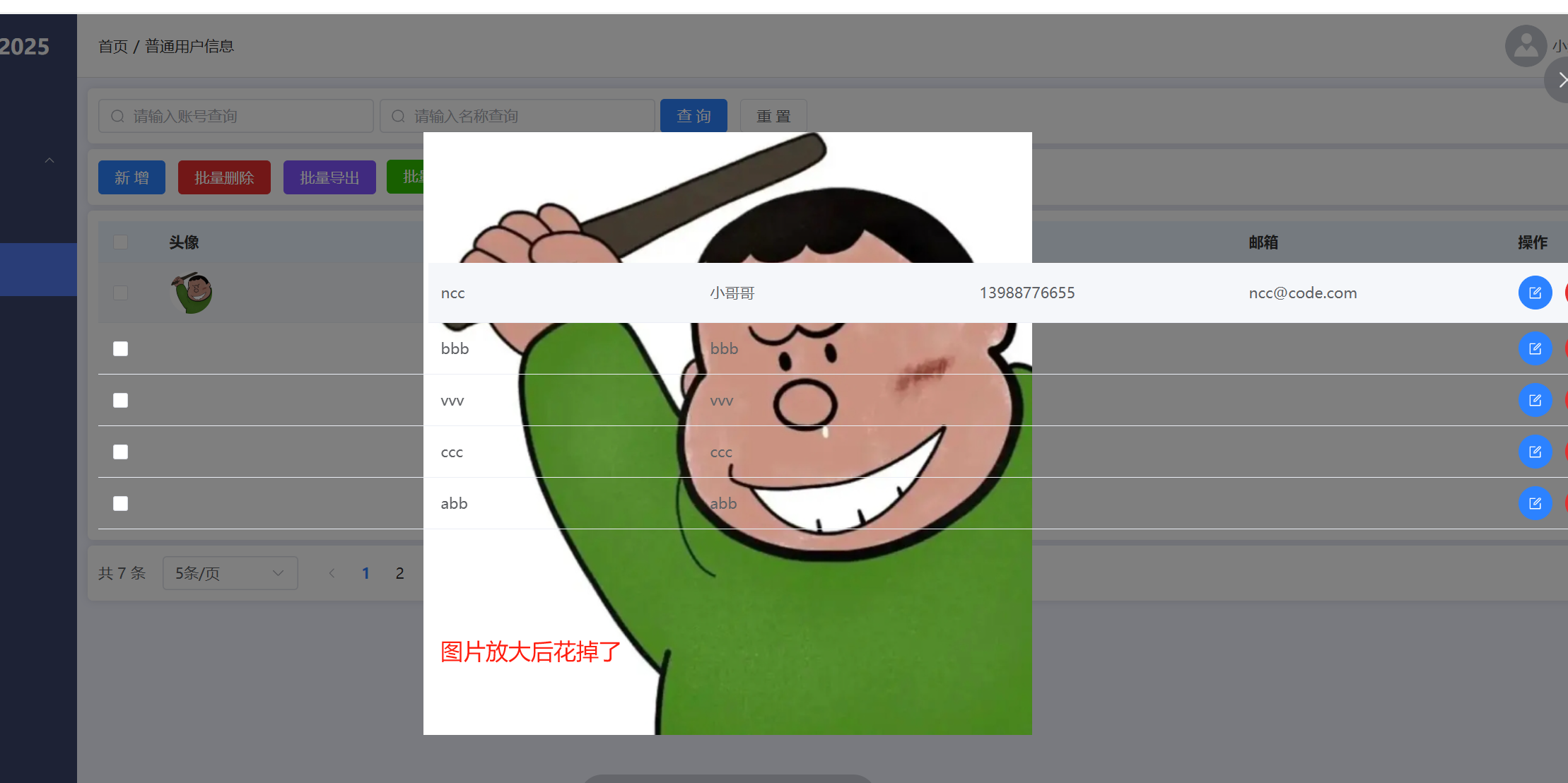
图片预览效果不理想,加上属性 :preview-teleported="true"