05. Springboot3+vue3实现增删改查、分页查询、批量删除(上)
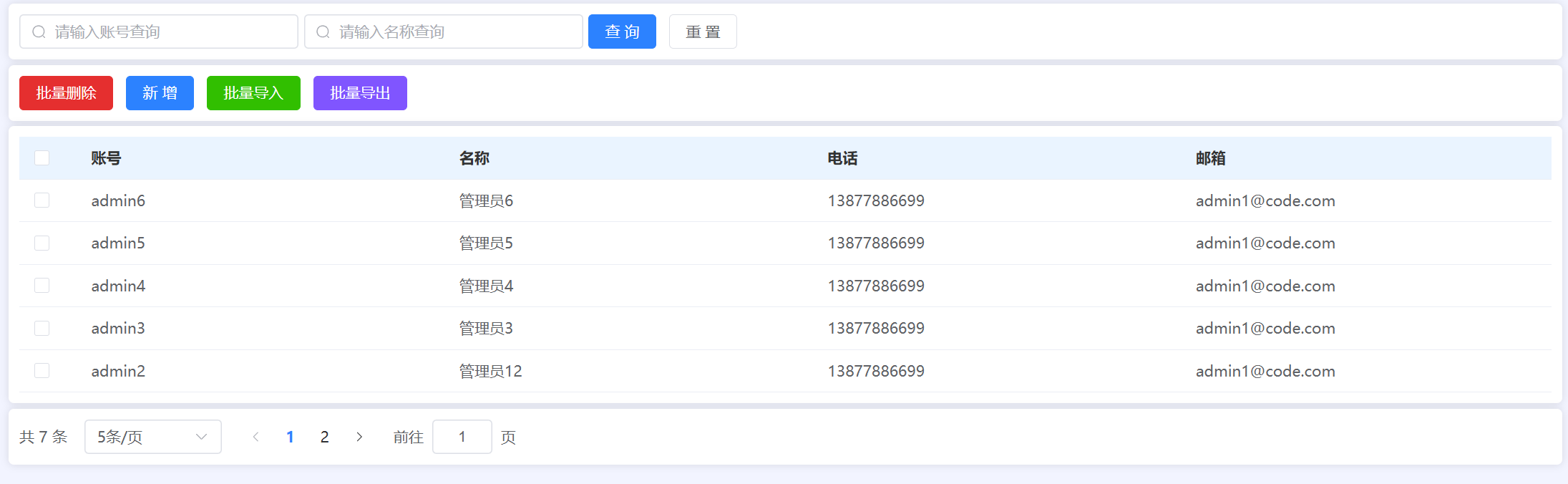
本节课你要做到下面的效果
分页条件模糊查询
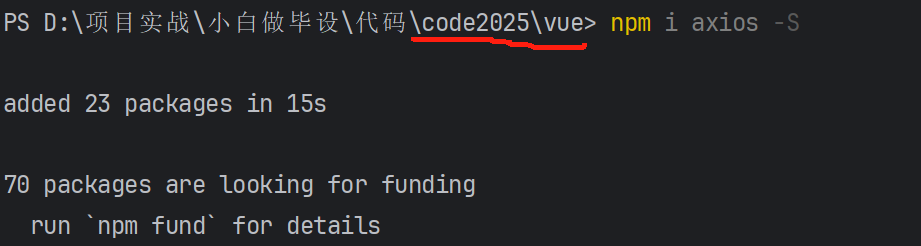
安装 axios 封装前后端对接数据工具
npm i axios -S
简单测试 axios
axios.get('http://localhost:9999/admin/selectAll').then(res => {
  console.log(res)
})
跨域错误:
has been blocked by CORS policy: No 'Access-Control-Allow-Origin' header is present on the requested resource.
跨域处理

在 Springboot 里面设置统一的跨域处理
package com.example.common;

import org.springframework.context.annotation.Bean;
import org.springframework.context.annotation.Configuration;
import org.springframework.web.cors.CorsConfiguration;
import org.springframework.web.cors.UrlBasedCorsConfigurationSource;
import org.springframework.web.filter.CorsFilter;

/**
 * 跨域配置
 */
@Configuration
public class CorsConfig {

    @Bean
    public CorsFilter corsFilter() {
        UrlBasedCorsConfigurationSource source = new UrlBasedCorsConfigurationSource();
        CorsConfiguration corsConfiguration = new CorsConfiguration();
        corsConfiguration.addAllowedOrigin("*"); // 1 设置访问源地址
        corsConfiguration.addAllowedHeader("*"); // 2 设置访问源请求头
        corsConfiguration.addAllowedMethod("*"); // 3 设置访问源请求方法
        source.registerCorsConfiguration("/**", corsConfiguration); // 4 对接口配置跨域设置
        return new CorsFilter(source);
    }
}
设置完后记得重启
封装统一的请求工具 request.js
import axios from "axios";
import {ElMessage} from "element-plus";

const request = axios.create({
  baseURL: 'http://localhost:9999',
  timeout: 30000  // 后台接口超时时间
})

// request 拦截器
// 可以自请求发送前对请求做一些处理
request.interceptors.request.use(config => {
  config.headers['Content-Type'] = 'application/json;charset=utf-8';
  return config
}, error => {
  return Promise.reject(error)
});

// response 拦截器
// 可以在接口响应后统一处理结果
request.interceptors.response.use(
  response => {
    let res = response.data;
    // 兼容服务端返回的字符串数据
    if (typeof res === 'string') {
      res = res ? JSON.parse(res) : res
    }
    return res;
  },
  error => {
    if (error.response.status === 404) {
      ElMessage.error('未找到请求接口')
    } else if (error.response.status === 500) {
      ElMessage.error('系统异常,请查看后端控制台报错')
    } else {
      console.error(error.message)
    }
    return Promise.reject(error)
  }
)

export default request
测试前后端数据查询
使用 request 工具发起一次请求
request.get('/admin/selectAll').then(res => {
  if (res.code === '200') {
    console.log(res)
  } else {
    ElMessage.error(res.msg)
  }
})
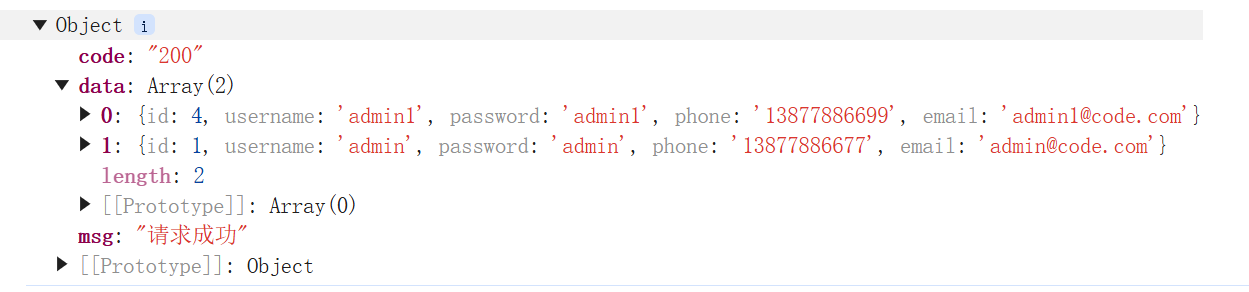
获取的数据样例:
分页查询
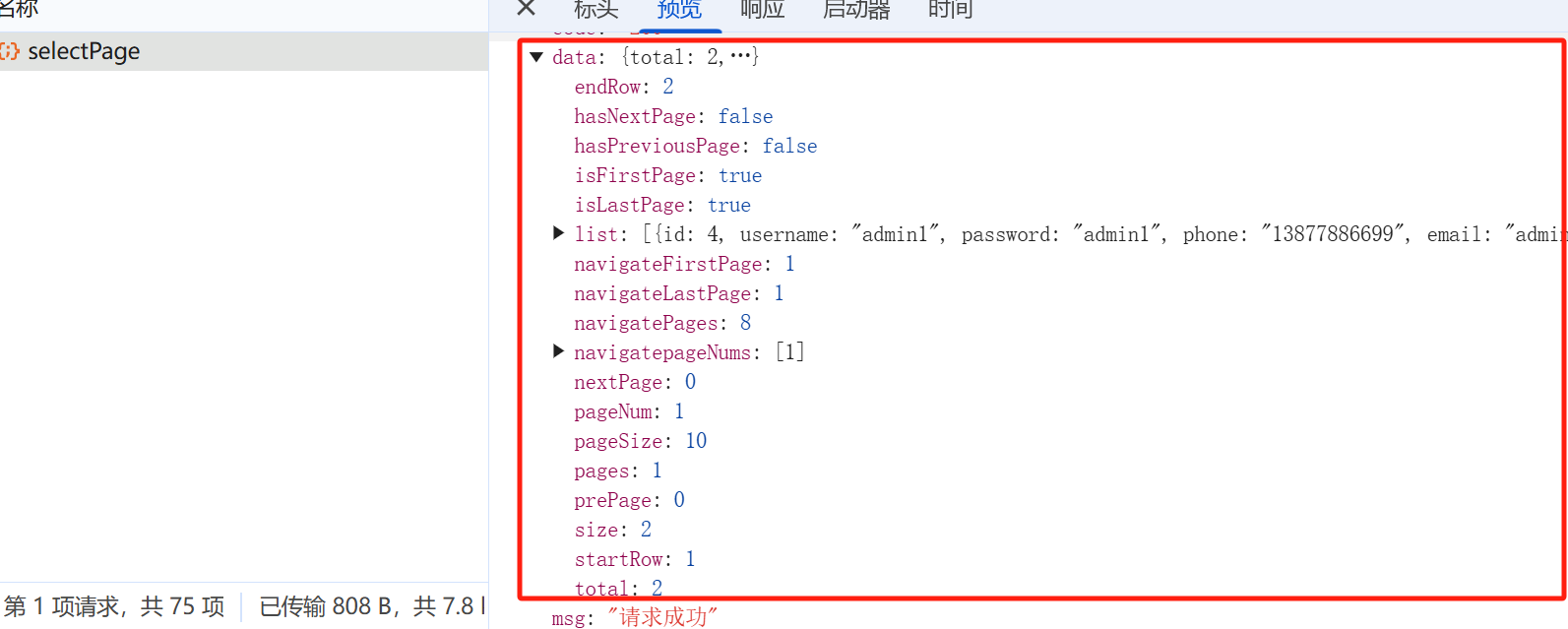
分页对象
total:数据库表所有数据总的个数
list: 返回的数据数组
pageNum: 当前的页码
pageSizer: 每页展示的个数
使用 PageHelper 插件
在 pom.xml 里添加依赖
<!-- 分页插件pagehelper -->
<dependency>
    <groupId>com.github.pagehelper</groupId>
    <artifactId>pagehelper-spring-boot-starter</artifactId>
    <version>1.4.6</version>
    <exclusions>
        <exclusion>
            <groupId>org.mybatis</groupId>
            <artifactId>mybatis</artifactId>
        </exclusion>
    </exclusions>
</dependency>
后端返回的分页对象
分页查询的请求方法
<div class="card" style="margin-bottom: 5px">
    <el-table :data="data.tableData" style="width: 100%" :header-cell-style="{ color: '#333', backgroundColor: '#eaf4ff' }">
      <el-table-column type="selection" width="55" />
      <el-table-column prop="username" label="账号" />
      <el-table-column prop="name" label="名称" />
      <el-table-column prop="phone" label="电话" />
      <el-table-column prop="email" label="邮箱" />
    </el-table>
  </div>
  <div class="card">
    <el-pagination
        v-model:current-page="data.pageNum"
        v-model:page-size="data.pageSize"
        layout="total, sizes, prev, pager, next, jumper"
        :page-sizes="[5, 10, 20]"
        :total="data.total"
        @current-change="load"
        @size-change="load"
    />
  </div>
</div>
const load = () => {
  request.get('/admin/selectPage', {
    params: {
      pageNum: data.pageNum,
      pageSize: data.pageSize
    }
  }).then(res => {
    if (res.code === '200') {
      data.tableData = res.data.list
      data.total = res.data.total
    } else {
      ElMessage.error(res.msg)
    }
  })
}
load()
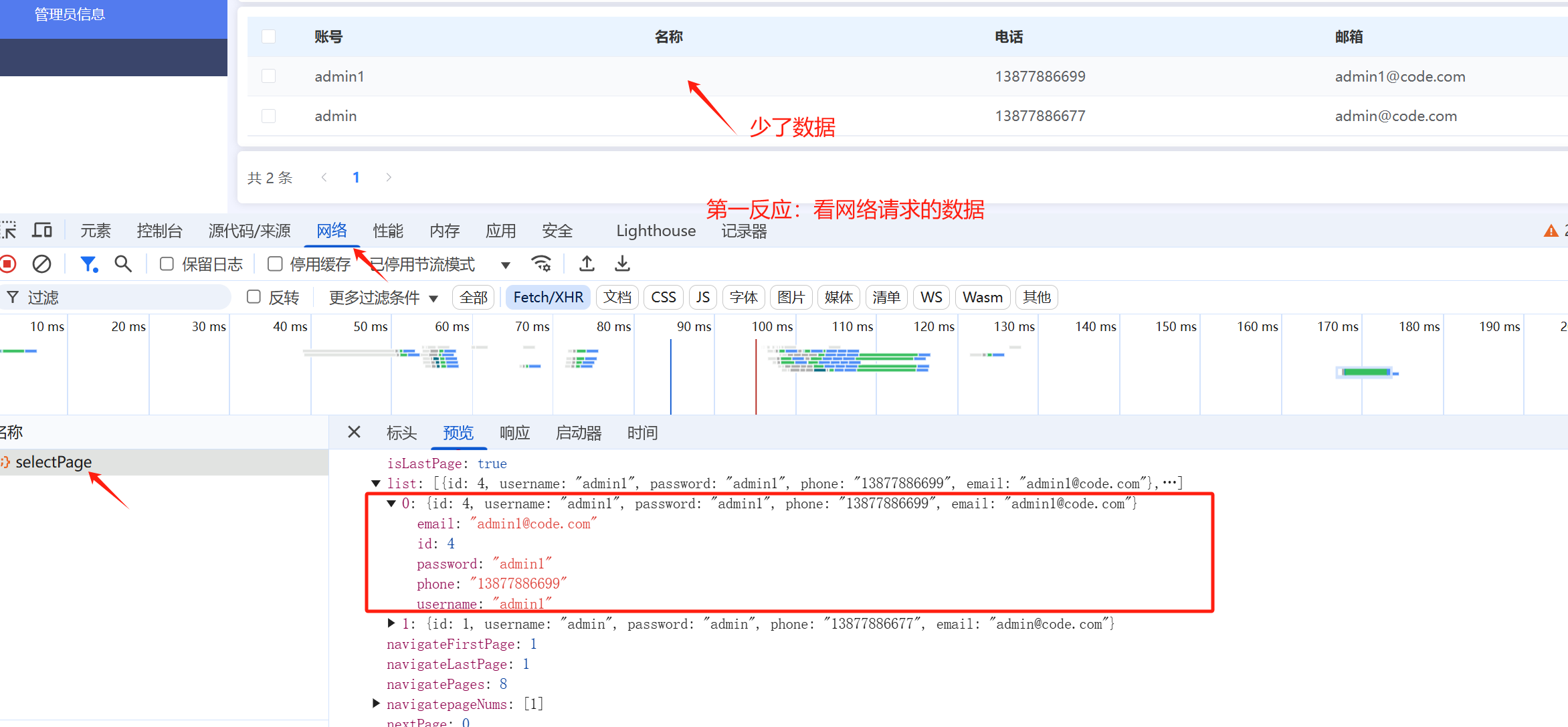
排查问题:页面数据少了,不展示怎么办?
看网络请求的数据对不对
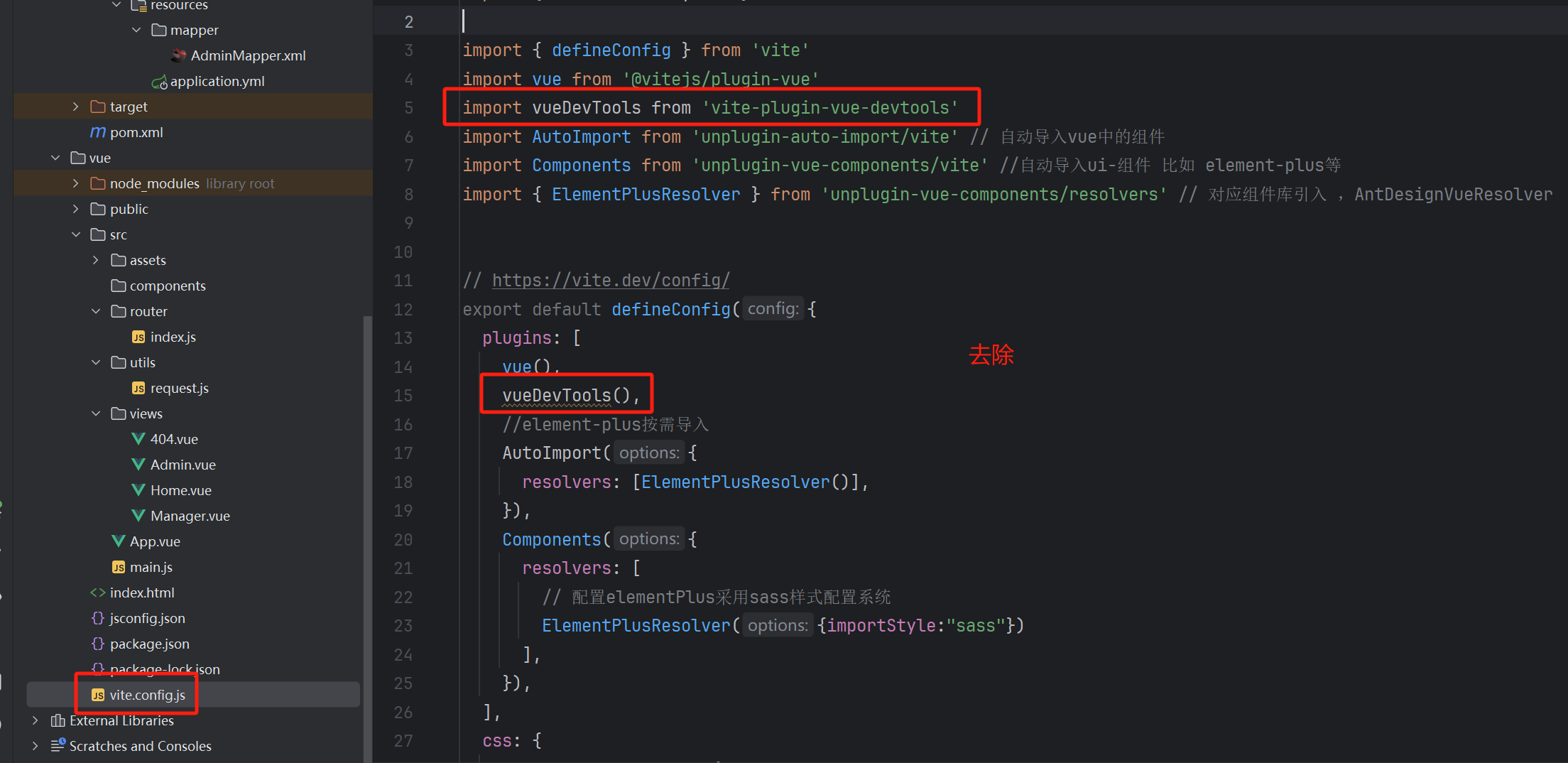
卸载 vue 的 dev-tools
npm uninstall vite-plugin-vue-devtools
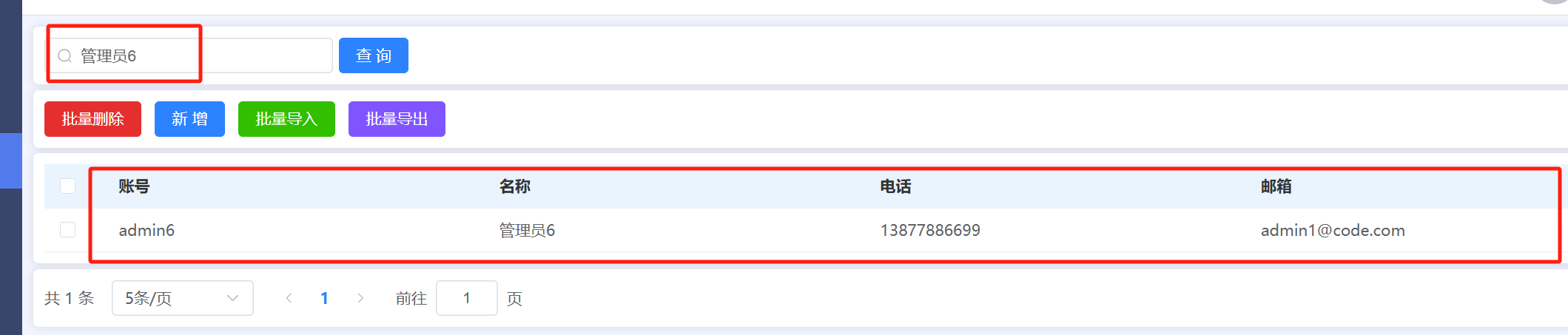
条件查询
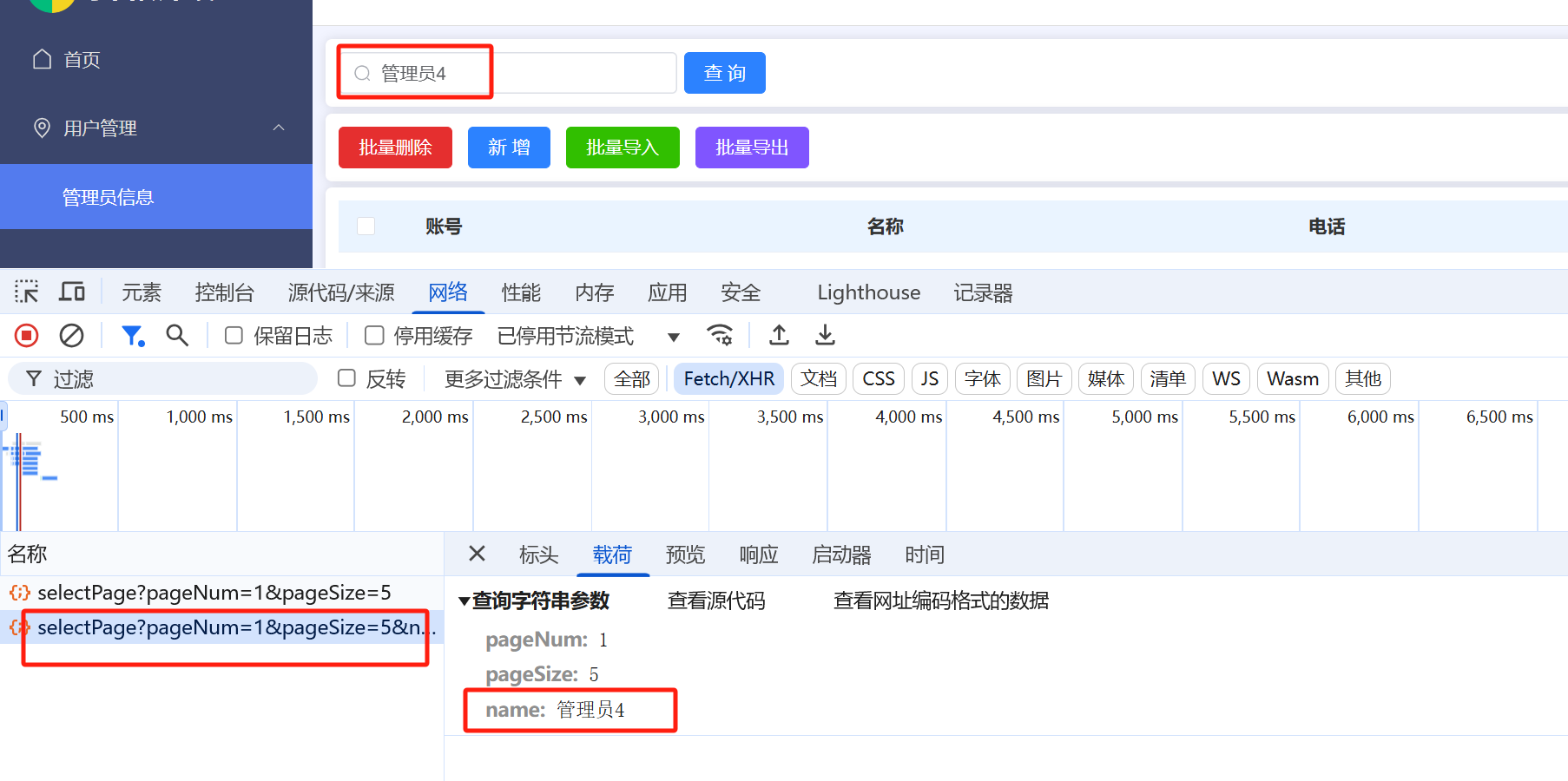
前端传入条件,后端给出结果,注意看 sql 语句

在网络请求的载荷里面有数据
条件查询的 sql 语句
<select id="selectAll" resultType="com.example.entity.Admin">
    select * from `admin`
    <where>
        <if test="username != null">username like concat('%', #{username}, '%')</if>
        <if test="name != null">and name like concat('%', #{name}, '%')</if>  <!-- 相当于 name like '%1%' -->
    </where>
    order by id desc
</select>
vue 调用:
const data = reactive({
  username: null,
  name: null,
  pageNum: 1,
  pageSize: 5,
  total: 0,
  tableData: []
})

const load = () => {
  request.get('/admin/selectPage', {
    params: {
      pageNum: data.pageNum,
      pageSize: data.pageSize,
      username: data.username,
      name: data.name
    }
  }).then(res => {
    if (res.code === '200') {
      data.tableData = res.data.list
      data.total = res.data.total
    } else {
      ElMessage.error(res.msg)
    }
  })
}
load()
本节课代码案例
Admin.vue
<template>
  <div>
    <div class="card" style="margin-bottom: 5px">
      <el-input clearable @clear="load" style="width: 260px; margin-right: 5px" v-model="data.username" placeholder="请输入账号查询" :prefix-icon="Search"></el-input>
      <el-input clearable @clear="load" style="width: 260px; margin-right: 5px" v-model="data.name" placeholder="请输入名称查询" :prefix-icon="Search"></el-input>
      <el-button type="primary" @click="load">查 询</el-button>
      <el-button @click="reset">重 置</el-button>
    </div>
    <div class="card" style="margin-bottom: 5px">
      <el-button type="danger">批量删除</el-button>
      <el-button type="primary">新 增</el-button>
      <el-button type="success">批量导入</el-button>
      <el-button type="info">批量导出</el-button>
    </div>

    <div class="card" style="margin-bottom: 5px">
      <el-table :data="data.tableData" style="width: 100%" :header-cell-style="{ color: '#333', backgroundColor: '#eaf4ff' }">
        <el-table-column type="selection" width="55" />
        <el-table-column prop="username" label="账号" />
        <el-table-column prop="name" label="名称" />
        <el-table-column prop="phone" label="电话" />
        <el-table-column prop="email" label="邮箱" />
      </el-table>
    </div>
    <div class="card">
      <el-pagination
          v-model:current-page="data.pageNum"
          v-model:page-size="data.pageSize"
          layout="total, sizes, prev, pager, next, jumper"
          :page-sizes="[5, 10, 20]"
          :total="data.total"
          @current-change="load"
          @size-change="load"
      />
    </div>
  </div>
</template>

<script setup>
import { reactive } from "vue";
import {Search} from "@element-plus/icons-vue";
import request from "@/utils/request.js";
import {ElMessage} from "element-plus";

const data = reactive({
  username: null,
  name: null,
  pageNum: 1,
  pageSize: 5,
  total: 0,
  tableData: []
})

const load = () => {
  request.get('/admin/selectPage', {
    params: {
      pageNum: data.pageNum,
      pageSize: data.pageSize,
      username: data.username,
      name: data.name
    }
  }).then(res => {
    if (res.code === '200') {
      data.tableData = res.data.list
      data.total = res.data.total
    } else {
      ElMessage.error(res.msg)
    }
  })
}
load()

const reset = () => {
  data.username = null
  data.name = null
  load()
}

</script>
AdminController
package com.example.controller;

import com.example.common.Result;
import com.example.entity.Admin;
import com.example.service.AdminService;
import com.github.pagehelper.PageInfo;
import jakarta.annotation.Resource;
import org.springframework.web.bind.annotation.GetMapping;
import org.springframework.web.bind.annotation.RequestMapping;
import org.springframework.web.bind.annotation.RequestParam;
import org.springframework.web.bind.annotation.RestController;

import java.util.List;

@RestController
@RequestMapping("/admin")
public class AdminController {

    @Resource
    AdminService adminService;

    @GetMapping("/selectAll")  //   完整的请求路径:http://ip:port/admin/selectAll
    public Result selectAll() {
        List<Admin> adminList = adminService.selectAll();
        return Result.success(adminList);
    }

    /**
     * 分页查询
     * pageNum: 当前的页码
     * pageSize:每页的个数
     */
    @GetMapping("/selectPage")
    public Result selectPage(@RequestParam(defaultValue = "1") Integer pageNum,
                             @RequestParam(defaultValue = "10") Integer pageSize,
                             Admin admin) {
        PageInfo<Admin> pageInfo = adminService.selectPage(pageNum, pageSize, admin);
        return Result.success(pageInfo);  // 返回的是分页的对象
    }

}
AdminService
package com.example.service;

import com.example.entity.Admin;
import com.example.exception.CustomerException;
import com.example.mapper.AdminMapper;
import com.github.pagehelper.PageHelper;
import com.github.pagehelper.PageInfo;
import jakarta.annotation.Resource;
import org.springframework.stereotype.Service;

import java.util.List;

@Service
public class AdminService {

    @Resource
    AdminMapper adminMapper;

    public List<Admin> selectAll() {
        return adminMapper.selectAll(null);
    }

    public PageInfo<Admin> selectPage(Integer pageNum, Integer pageSize, Admin admin) {
        // 开启分页查询
        PageHelper.startPage(pageNum, pageSize);
        List<Admin> list = adminMapper.selectAll(admin);
        return PageInfo.of(list);
    }

}
AdminMapper.xml
<?xml version="1.0" encoding="UTF-8" ?>
<!DOCTYPE mapper
      PUBLIC "-//mybatis.org//DTD Mapper 3.0//EN"
      "https://mybatis.org/dtd/mybatis-3-mapper.dtd">
<mapper namespace="com.example.mapper.AdminMapper">

  <select id="selectAll" resultType="com.example.entity.Admin">
      select * from `admin`
      <where>
          <if test="username != null">username like concat('%', #{username}, '%')</if>
          <if test="name != null">and name like concat('%', #{name}, '%')</if>  <!-- 相当于 name like '%1%' -->
      </where>
      order by id desc
  </select>

</mapper>